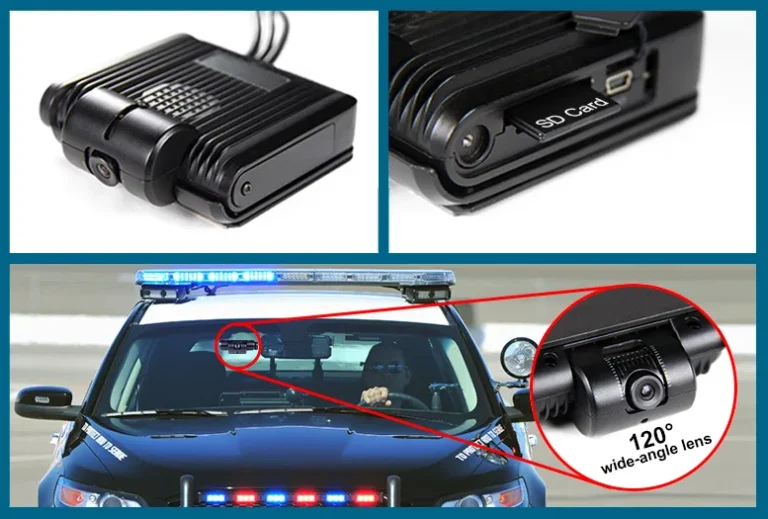
What is dash cam parking mode: Complete Guide
What is dash cam parking mode? It's a feature that lets your dash cam keep recording, or stay ready to record, after you've turned the engine off and walked away. Your car sits still for hours, sometimes days, and the dash cam stays on watch the whole time.
The catch is that parking mode isn't a single thing. Some cameras only wake up when something moves. Others record a slow time-lapse all night.
A few save footage from a few seconds before an impact. Each one uses your car battery differently, and as of 2026, manufacturer specs show a wide spread in power draw, from under 200 mA to over 500 mA depending on the mode. Pick the wrong setup for where you park, and you either get useless footage or a dead battery.
Let's walk through what parking mode actually does, how it works, and how to choose the right kind for your situation.

Quick Answer
Dash cam parking mode is a low-power surveillance mode that runs while your car is parked. It uses motion detection, impact detection, or time-lapse to capture events. It runs on your car battery through a hardwire kit, OBD-II port, or external battery pack.
Most parking modes draw between 150 and 500 mA.
What Parking Mode Actually Does (And Why It's Not Just "Recording While Parked")
Parking mode is not the same as leaving your dash cam recording full-time while parked. A normal recording loop writes to the microSD card at 30 frames per second, runs the image sensor at full power, and chews through your battery fast.
Parking mode runs the camera in a low-power state. The sensor stays armed but mostly idle. When something happens, the camera wakes up and writes the event to the card.
When nothing happens, it just waits.
That's the core idea. A parked car is unattended for hours, so the camera has to balance two things: catching incidents and not flattening your battery. Every parking mode design is a different answer to that trade-off.
Here's what that looks like in practice:
- The engine is off and the key is out.
- The camera still receives 12V power through a hardwire kit, OBD-II port, or internal battery.
- A motion sensor watches the field of view for movement.
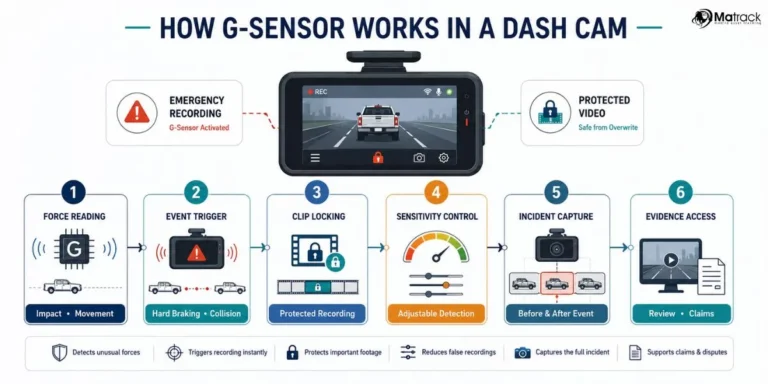
- A G-sensor (accelerometer) watches for sudden impacts.
- Either trigger wakes the camera and saves a clip.
Without parking mode, your dash cam shuts off with the ignition. Anything that happens to your car overnight is invisible. With parking mode, you have a witness parked on your windshield 24/7.
The Three Main Types of Parking Mode (And How They Behave Differently)
There isn't one parking mode. There are three common flavors, and they behave very differently. The one your camera uses shapes what you actually capture.
Motion-Activated Recording
The camera stays in a low-power state, watching for movement in the frame. When a person walks past or a car pulls in, it wakes up and starts recording. When the motion stops, it goes back to sleep.
This is the most battery-friendly option. The sensor draws very little power until something actually happens. It's also the most likely to miss things, because anything outside the camera's field of view is invisible.
A car backing into yours from a side angle might never trigger it.
Time-Lapse Recording
The camera records continuously at a low frame rate, often 1 to 5 frames per second instead of 30. It produces a sped-up video of everything that happened while you were gone. Nothing gets missed, because the camera never sleeps.
The trade-off is file size and detail. A time-lapse at 1 fps won't catch a clean license plate of a fast-moving car. It's great for seeing the sequence of events, weak for capturing crisp evidence.
Impact-Only Recording (G-Sensor Triggered)
The camera sleeps until the G-sensor detects a jolt. Then it wakes up and saves a clip. This is the most battery-efficient mode, but it also catches the least, because there's no footage of what led up to the impact.
| Mode | Power Draw | What It Catches | What It Misses |
|---|---|---|---|
| Motion-activated | Low to medium | Movement in frame | Side impacts, things outside view |
| Time-lapse | Medium to high | Everything, in low detail | License plates, fast action |
| Impact-only | Lowest | Direct hits to the car | Context, lead-up, motion-only events |
Most modern dash cams offer at least two of these, and many let you run them together. A common setup is motion plus impact, so the camera only records when something happens but always catches the moment of contact.
Buffered vs. Unbuffered: Why Those Few Seconds Before Impact Matter
This is the detail that separates decent parking mode from genuinely useful parking mode. Buffered means the camera is constantly saving a small loop of recent footage to short-term memory. When an event triggers, those few seconds get written to the card along with the event itself.
Unbuffered means the camera only starts recording after the trigger fires. By then, the car that hit you is already two seconds down the road.
Here's why this matters. A hit-and-run driver in a parking lot doesn't tap your bumper and wait. They bump, they back out, they leave.
If your camera only records after the impact, you get a clip of an empty parking lot with a damaged car. If it's buffered, you get the car pulling in, the impact, and the car leaving, all in one clip.
Most flagship dash cams from BlackVue, Thinkware, and Viofo now offer buffered recording in their top-tier modes. Budget models often skip it to save cost. If you care about evidence quality, buffered is worth paying for.
A few seconds of pre-roll is the difference between a usable clip and a useless one.
How Dash Cam Parking Mode Is Powered (And Why This Is Where Most People Get Burned)
Parking mode power is where most setup problems happen. The camera needs continuous 12V power even when the ignition is off. Your cigarette lighter socket usually shuts off with the car, so plugging into it does nothing for parking mode.
There are four common ways to supply that power:
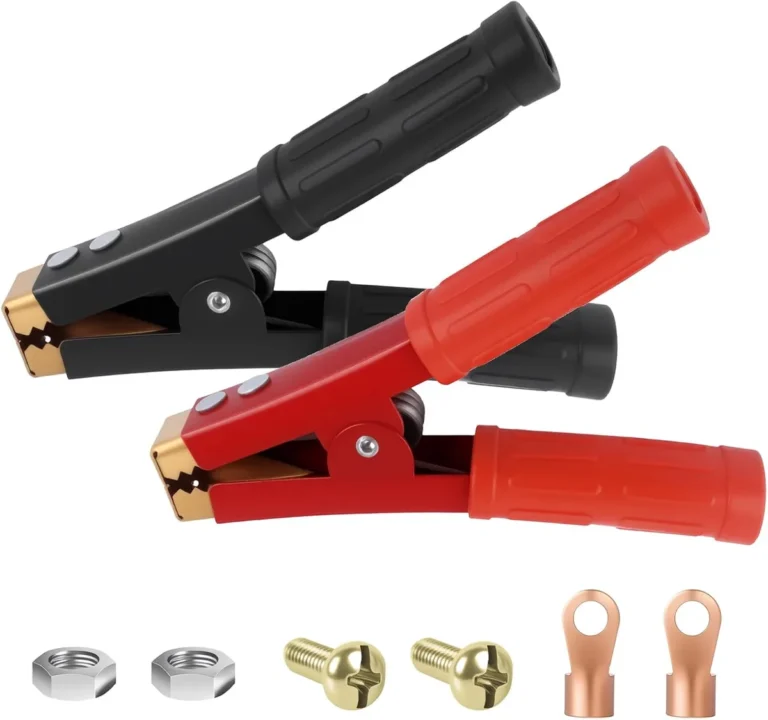
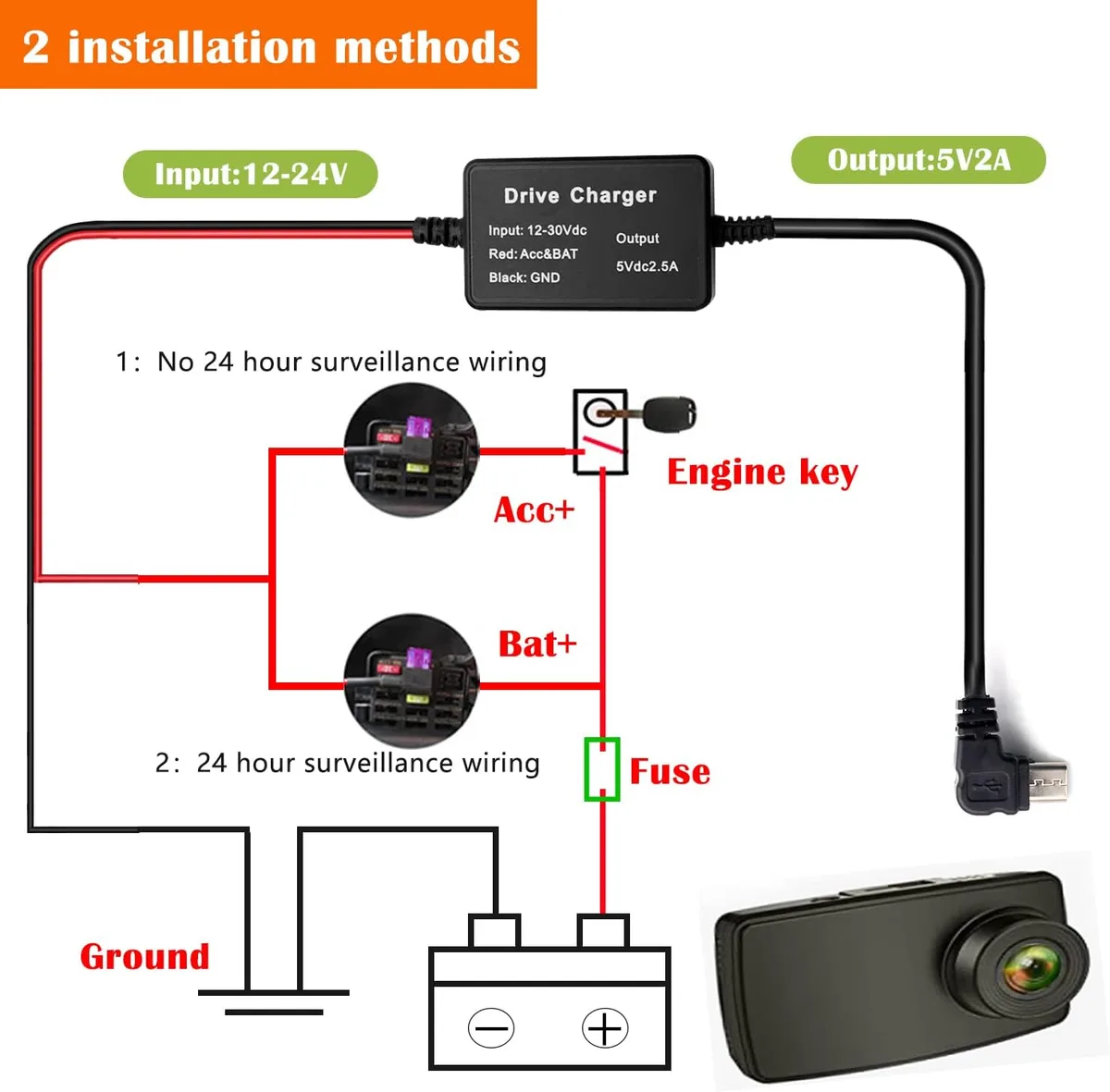
- Hardwire kit (fuse box tap), runs the camera off a constant 12V fuse.
- OBD-II power cable, simpler install, draws from the diagnostic port.
- External battery pack, isolates the camera from the car battery completely.
- Internal dash cam battery, only works for very short durations, often minutes.
Manufacturer specifications indicate the typical power draw in parking mode runs from 150 mA to 500 mA at 12V, depending on the camera and the mode. A 150 mA draw on a 50 Ah car battery sounds tiny, but it's not, because a healthy car battery can only safely discharge to about 50% before you risk a no-start situation. That gives you roughly 150 hours of theoretical runtime before the battery is half-drained, and real-world numbers are lower once you factor in the camera's own idle draw and the car's parasitic loads.
This is why the next section on power source choice matters so much. Your parking environment and how long the car sits unused are the real variables. Choose wrong, and you either get a dead battery or a camera that never recorded the event you needed.
Hardwiring vs. OBD-II vs. Cigarette Lighter: Which Power Source Fits Your Setup
Picking the power source is the first real decision tree in this whole topic. The right answer depends on how long your car sits, where you park, and how comfortable you are cracking open the fuse box.
If You Park in a Driveway or Garage and Drive Daily
A simple hardwire kit is the sweet spot. Tap a constant 12V fuse and a ground bolt, set the low-voltage cutoff, and forget about it. The car battery tops up every day, so even a 300 mA draw is no real concern.
If You Park on the Street and Drive Less Often
OBD-II power is the easiest install. No fuse taps, no ground wire, just plug the cable into the diagnostic port under the dash. The downside is that the OBD-II port is always live, and some cars don't enforce a low-voltage cutoff at the OBD port the way a hardwire kit does.
Check your dash cam's voltage protection settings before relying on this.
If You Leave the Car for Days at a Time (Airport, Commuter Lot, Travel)
An external battery pack is the safest bet. Packs like the Cellink NEO 8+ or BlackVue B-130A sit in the trunk and power the camera without ever touching the car battery. They charge while you drive and run the camera while you park.
The car starts every morning, no matter how long you were away.
If You Only Need a Few Hours of Coverage
A dash cam with a small internal supercapacitor or battery can cover short stops, like grocery runs or quick errands. Don't expect overnight coverage. Most internal batteries are sized for a few minutes of impact-buffered recording, not hours of surveillance.
| Power Source | Install Difficulty | Best For | Watch Out For |
|---|---|---|---|
| Hardwire kit | Medium | Daily drivers, all-night parking | Wrong fuse type, no cutoff |
| OBD-II cable | Easy | Street parking, short trips | Some cars don't cutoff at OBD |
| External battery pack | Medium | Long-term parked cars | Higher upfront cost |
| Cigarette lighter | None | Driving only, no parking mode | Cuts off with ignition |
For most people reading this, a hardwire kit with a properly set low-voltage cutoff is the right answer. It's the most flexible, and it's what the manufacturers design around.
Low-Voltage Cutoff: The Single Setting That Protects Your Car Battery
The low-voltage cutoff is the most important setting in the whole parking mode conversation, and almost nobody talks about it until something goes wrong.
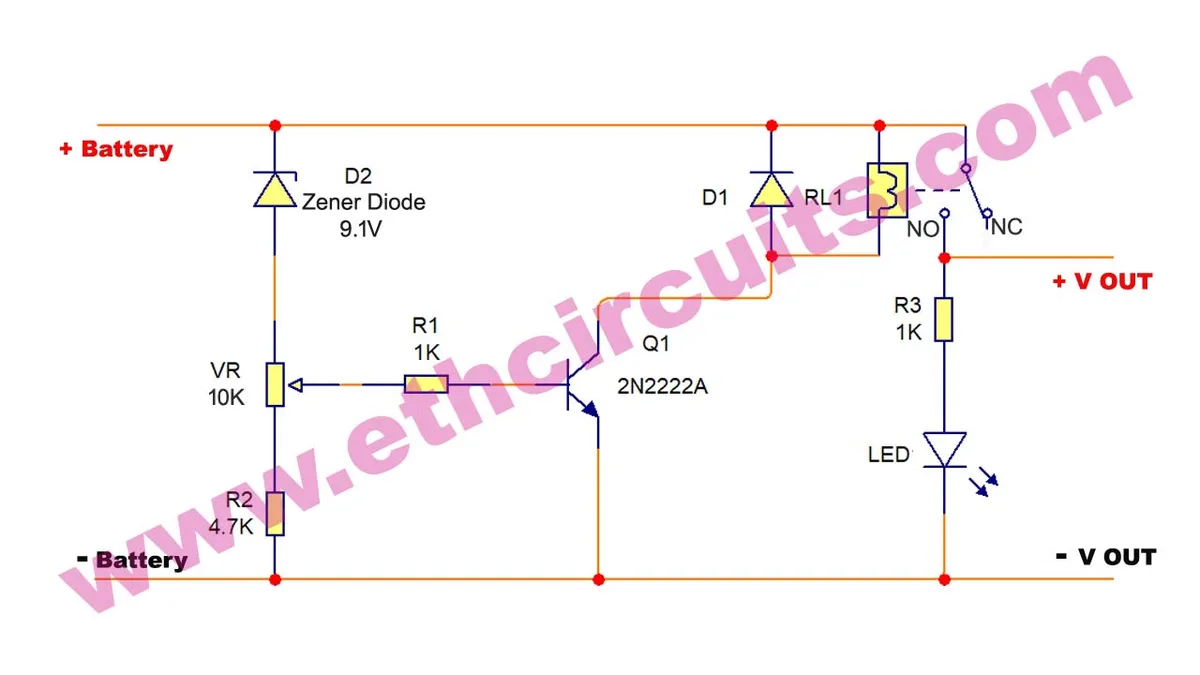
Here's what it does. The dash cam monitors your car battery's voltage. When the voltage drops below a threshold you set, the camera shuts itself off.
No more draw. The car still starts in the morning.
Without this setting, the camera just keeps drawing until the battery is dead. You'll come back to a car that won't start and a camera that didn't even record the event you needed, because it died before the impact.
Most hardwire kits and dash cams let you pick a cutoff voltage. Common options are 11.8V, 12.0V, 12.2V, and 12.4V. The right number depends on your battery type and climate.
How to Pick the Right Cutoff Voltage
A 12V lead-acid car battery at rest sits around 12.6V when fully charged. As it drains, voltage drops. The cutoff should be high enough to leave enough juice to start the car, but low enough that the camera doesn't shut off after an hour.
Aggregate user feedback and manufacturer guidance suggest these general ranges:
| Battery Type | Recommended Cutoff | Notes |
|---|---|---|
| Standard lead-acid | 12.0V–12.2V | Most common in gas cars |
| AGM battery | 12.2V–12.4V | Holds voltage differently, cut off earlier |
| Lithium auxiliary | 11.8V or lower | More tolerant of deep discharge |
| Cold climate (under 32°F / 0°C) | Add 0.2V | Cold cranking needs more reserve |
Set it too high and the camera shuts off before it captures anything useful. Set it too low and the car won't start. When in doubt, 12.0V is a safe default for a standard battery in mild weather.
A good hardwire kit like the Viofo HK4 or a Thinkware hardwire cable lets you set this in the camera's app. Set it once, forget it.
Motion Detection vs. Time-Lapse: Which One to Use Based on Where You Park
This is the second decision branch, and it's about matching the recording mode to your parking environment. The camera can do different things in different situations, and the right choice depends on what kind of threats your car actually faces.
If You Park in a Quiet Driveway or Garage
Motion-activated is the right call. Almost nothing moves near your car overnight, so the camera sleeps most of the time and only wakes up if someone approaches. Battery draw stays minimal, and you get a clean clip of whatever triggered it.
If You Park in a Busy Street or Commuter Lot
Time-lapse is worth considering. Lots of movement, lots of potential witnesses, lots of false triggers. A time-lapse at 1 fps gives you the full timeline without filling the SD card with 200 clips of pedestrians walking past.
If You Park in a High-Risk Area (Frequent Vandalism or Break-Ins)
Run both. Motion plus impact together is the standard recommendation for high-risk parking. The camera catches the approach and the impact, buffered together, so you have a complete story.
Yes, it uses more power. Yes, it's worth it.
The Real Decision Tree
Here's a quick way to think about it:
- Low activity plus short park = motion only.
- High activity plus short park = time-lapse.
- High risk plus long park = motion + impact, with a battery pack.
- Any time plus uncertain risk = buffered motion + impact as a default.
Most users end up on buffered motion + impact, because it covers the most situations without the complexity of switching modes manually. Modern dash cams with parking mode default to this and only kick into time-lapse if you ask for it.
G-Sensor Sensitivity: Tuning It So Wind and Trucks Don't Fill Your SD Card
The G-sensor is what wakes the camera on impact. Set it too sensitive and every passing truck or heavy door slam saves a clip. Set it too loose and a real bump goes unnoticed.
A good starting point is medium, which on most cameras is around 0.3g to 0.5g. Drive for a day, then check how many events the camera logged. If a tree branch triggered a clip, lower the sensitivity.
If a real pothole didn't trigger, raise it.
How Much Battery Does Parking Mode Actually Use (Real Numbers)
The real-world battery impact is the question that comes up most often, and the answer is more nuanced than the spec sheets suggest. The camera's own draw is only part of the story. The car itself has parasitic loads, things like the alarm system, keyless entry receiver, and ECU standby, that drain the battery whether the dash cam is there or not.
A typical daily-driver car loses about 0.5% to 1% of battery charge per day from parasitic loads alone. Add a dash cam drawing 250 mA in motion-activated parking mode, and you're looking at 2% to 3% total drain per day.
Here's what that means in practice:
| Parking Duration | Daily Drain (Cam + Parasitic) | Risk Level |
|---|---|---|
| 8 hours (workday) | 1%–1.5% | Low |
| 24 hours (overnight + day) | 2%–3% | Low |
| 3 days (weekend trip) | 6%–9% | Medium |
| 7+ days (airport parking) | 15%+ | High |
A healthy car battery can handle a week of light drain and still start. An older battery, or one that already had a weak cell, can die from a single weekend.
Manufacturer specifications confirm that time-lapse mode draws the most power (often 400 to 500 mA), impact-only draws the least (around 100 to 150 mA), and motion-activated falls in the middle (200 to 300 mA). The camera's own power management does most of the work, which is why setting the right mode and the right cutoff voltage matters more than picking the "lowest draw" camera on a spec sheet.
Choosing a Dash Cam With Good Parking Mode: What Specs Actually Matter
Not all parking modes are equal. The marketing copy usually says "supports parking mode" without telling you what kind. Here's what to actually look for when comparing cameras.
Must-Have Features
- Buffered recording. Pre-roll footage is the difference between evidence and a blank file.
- Adjustable G-sensor sensitivity. So you can tune it for your parking spot.
- Adjustable motion detection zones. To ignore irrelevant movement.
- Hardwire kit with low-voltage cutoff. Not optional.
- High-endurance microSD card support. Standard cards wear out fast under constant write cycles.
Nice-to-Have Features
- Dual-channel (front + rear) parking coverage. Catches rear-end parking lot taps.
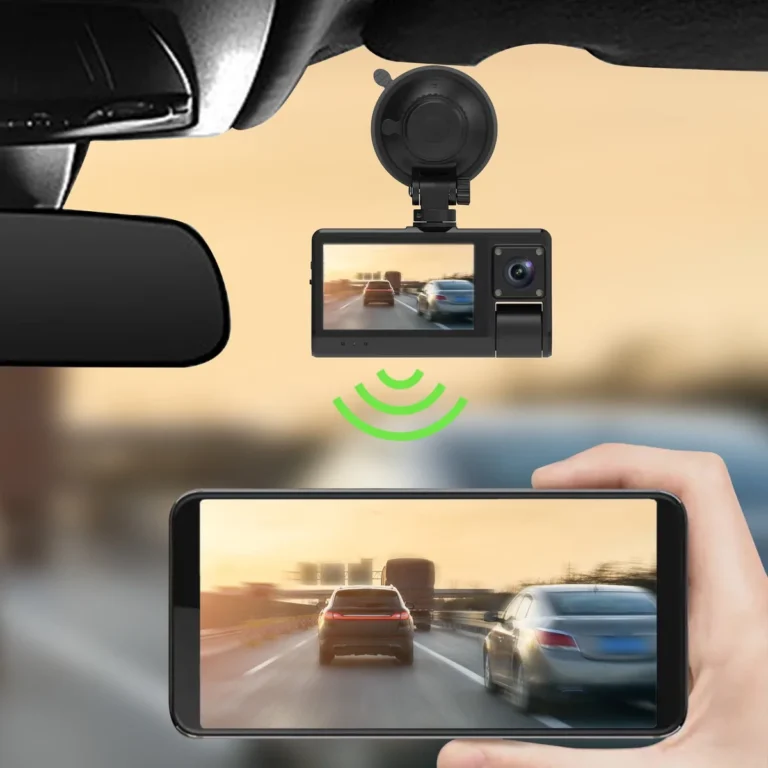
- Cloud connectivity. Remote live view and push alerts when something happens.
- Time-lapse mode. For high-traffic parking situations.
- Capacitor-based power (not lithium). Better heat tolerance for cars parked in the sun.
What to Ignore
- "4K parking mode" claims. The sensor still uses a lower bitrate when parked, and the file size eats your SD card. 1080p buffered is more useful than 4K time-lapse.
- App bloat. Cloud features that require a subscription aren't essential to the core parking function.
- Brand hype. A $150 Viofo with proper buffered parking mode will outperform a $400 flagship with a stripped-down parking feature set.
The right way to choose is to match the camera's parking feature set to your parking environment, not to chase the highest spec sheet. A camera with great motion detection but no buffer is a poor fit for a high-risk lot. A camera with time-lapse but no motion trigger is a poor fit for a quiet driveway.
Match the tool to the job.
Step-by-Step: Setting Up Parking Mode the Right Way
Setting up parking mode is a one-time job. Done right, you never think about it again. Here's the workflow that works for most vehicles.
What You'll Need
- A dash cam with parking mode and buffered recording.
- A hardwire kit rated for your camera (most cameras ship with one, or you can buy the manufacturer's kit).
- A fuse tap matching your fuse box (mini, micro, or standard blade).
- A high-endurance microSD card (SanDisk High Endurance or Samsung Pro Endurance are good defaults).
- A small add-a-fuse for the ground side (some kits need this).
- Basic tools: a fuse puller (usually in the fuse box lid), a 10mm wrench for the ground bolt, and zip ties for cable management.
The Setup Process
- Mount the dash cam behind the rearview mirror, on the passenger side of the windshield. This keeps it out of the driver's line of sight and within reach of the headliner for cable routing.
- Locate your fuse box. Most cars have one under the dash on the driver's side and another under the hood. Use the interior fuse box for the dash cam install.
- Identify a constant 12V fuse. This is a fuse that has power even when the car is off. Common options include the alarm fuse, the dome light fuse, or the horn fuse. Check your owner's manual for the fuse map.
- Identify an ACC (accessory) fuse if your hardwire kit needs switched power. Many modern kits only need constant + ground because they handle the switching internally.
- Install the fuse tap. Pull the original fuse, put it in the lower slot of the tap, and put a matching fuse in the upper slot for the dash cam. Most kits include the fuse.
- Connect the ground wire to a bare metal chassis bolt. A 10mm bolt near the fuse box usually works. Loosen the bolt, slip the ring terminal under it, and retighten.
- Route the cable along the headliner, down the A-pillar, and into the fuse box. Tuck the cable behind the headliner gasket and the A-pillar trim. Don't run it across the airbag path, which is the front of the A-pillar.
- Set the low-voltage cutoff in the camera's app. Use the table from earlier as a starting point.
- Set the G-sensor sensitivity. Start at medium, and adjust after a day or two of real use.
- Format the SD card in the camera, not on a computer. The camera writes a filesystem the card expects, and a computer format can cause issues.
- Test the setup. Park the car for an hour, check the app, and confirm the camera is still recording. Then leave it overnight and check the battery voltage in the morning.
The whole job takes 30 to 90 minutes if you've done it before, and 2 to 3 hours if you haven't. There's nothing technically difficult about it. The fuse box just looks intimidating the first time.
Common Parking Mode Mistakes That Cost People Their Footage (or Their Battery)
Most parking mode failures come down to a handful of recurring mistakes. Knowing them ahead of time saves a lot of trouble.
Forgetting the Low-Voltage Cutoff
This is the most common and most expensive mistake. The camera runs all weekend, drains the battery flat, and the car won't start Monday morning. Set the cutoff before you park the car.
Using the Wrong Fuse Type
Tapping an ACC-switched fuse (one that only has power with the key on) means the camera shuts off with the ignition. No parking mode. Use a constant 12V fuse.
Skipping Buffered Recording
A camera without buffered recording only captures the moment after the trigger. By then, the hit-and-run driver is gone. If you care about evidence, don't skip this.
Using a Regular microSD Card
Standard cards aren't rated for the constant write cycles of parking mode. They wear out in weeks, and the camera starts corrupting files. A high-endurance card costs a few dollars more and lasts years.
Setting Motion Sensitivity Too High
Wind, shadows, and passing clouds trigger the camera in a busy parking lot. You end up with hundreds of useless clips and miss the real event in the noise. Tune it down until the camera only wakes for real movement.
Pointing the Camera at the Wrong Angle
A camera pointed too high catches sky and tree branches. A camera pointed too low catches the car's hood. Aim for a horizon line about one-third from the top of the frame.
That gives you maximum coverage of approaching cars and people.
Hardwiring Without Checking the A-Pillar Airbag Path
On many cars, the side curtain airbag deploys from the front of the A-pillar. Running the cable across that path means the cable interferes with the airbag in a crash. Always route behind the airbag path, which means tucking the cable into the headliner and down the rear of the A-pillar.
Assuming the Cigarette Lighter Works
Most cigarette lighter sockets shut off with the ignition. Plugging the dash cam in there gives you zero parking coverage. Use a hardwire kit or OBD-II cable instead.
Forgetting to Format the Card
A new SD card works fine in the camera, but after a few months of use, the file table gets fragmented. The camera starts dropping frames or refusing to record. Format the card in the camera every two to three months as maintenance.
What to Do If Your Car Battery Dies From Parking Mode
A dead battery from a dash cam is a fixable problem. The first step is figuring out whether the battery is actually dead or just deeply discharged.
A deeply discharged lead-acid battery can usually be revived with a slow charge overnight. A battery that's been deeply discharged multiple times, or one that's more than four or five years old, may be permanently damaged and need replacement.
The Recovery Steps
- Jump-start the car or use a portable jump pack. Drive it for at least 30 minutes to put some charge back in.
- Check the battery voltage with a multimeter after the car has been off for an hour. A healthy battery should read 12.4V to 12.6V at rest. Anything below 12.2V means the battery is weak or sulfated.
- Get a load test at any auto parts store. It's free and tells you whether the battery is still good.
- Reset the dash cam's low-voltage cutoff to a higher value so it doesn't happen again.
Prevention Going Forward
If the car sits for more than a few days at a time, the right answer is an external battery pack. They're not cheap, but they're cheaper than a new car battery and a tow truck.
Parking Mode and Insurance: Will Footage Actually Help Your Claim
This is where parking mode pays for itself, or doesn't. The footage only helps if it's usable when you need it.
What Insurance Companies Want
- Clear date and time stamp burned into the video. Most dash cams do this by default.
- Continuous footage of the event. Buffered recording gives you this.
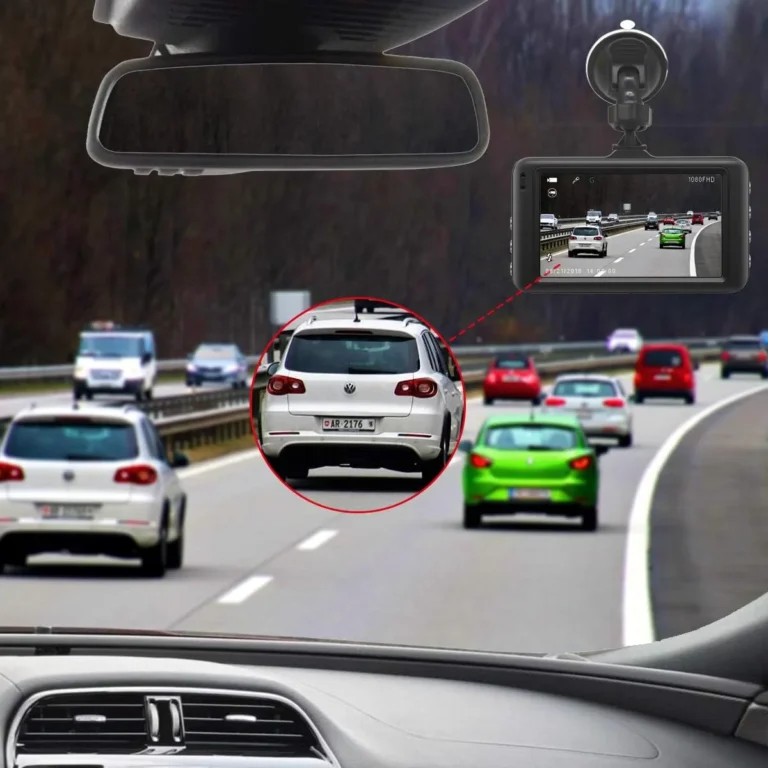
- The other vehicle's license plate, if possible. A 1080p or higher camera at the right angle will usually catch it.
- Unedited, uncut files. Don't trim or re-encode the footage before submitting it.
What Disqualifies Footage
- No timestamp. A clip from "some night in March" doesn't help.
- A gap in the timeline. If the camera was off when the impact happened, there's nothing to submit.
- Low resolution with no readable plate. Better than nothing, but not enough for a clean hit-and-run claim.
In the UK, Thatcham Research maintains standards for vehicle security and has evaluated dash cam systems for insurance recognition. UK insurers have been faster to adopt dash cam footage than US insurers, and some offer premium discounts for approved cameras. The equivalent US framework is less centralized, but IIHS-affiliated research continues to look at how dash cam data could feed into crash and parking-lot incident claims.
As of 2026, more US insurers are starting to accept dash cam footage as supporting evidence, though the practice isn't universal. Check with your specific insurer before assuming a clip will close a claim.
The Honest Trade-Off
Even with perfect footage, a parking lot hit-and-run claim can be a hassle. The other driver has to be identified, their insurance has to cooperate, and the damage has to be worth the effort. Parking mode is most valuable in three situations:
- High-value vehicles where the repair cost justifies the chase.
- High-risk parking where incidents are frequent.
- Leased or financed vehicles where damage hits your wallet directly at return.
If none of those apply, a basic parking mode setup is still cheap insurance, but don't expect a discount on your premium.
Frequently Asked Questions
How long does parking mode last on a car battery?
A healthy 50 Ah battery with a 250 mA camera and a 12.0V cutoff typically runs 24 to 48 hours before the camera shuts off to protect starting voltage.
Do all dash cams have parking mode?
No. Buffered parking mode is mostly a mid-to-high-end feature. Many budget models skip it entirely or offer only impact-only recording.
Can parking mode drain my car battery?
Yes, if the low-voltage cutoff isn't set or isn't working. Always set the cutoff in the app, or use an external battery pack for long-term parking.
Is hardwiring a dash cam safe?
Yes, when done correctly with a proper fuse tap and ground. The risk is using the wrong fuse or routing the cable across the airbag path. Both are avoidable.
Does parking mode work in cold weather?
It works, but cold reduces battery capacity. Set the cutoff slightly higher in freezing temperatures, or use an external battery pack for winter parking.
Can I use parking mode without hardwiring?
Yes, with an external battery pack like a Cellink NEO or BlackVue B-130A. Internal supercapacitors only last a few minutes and aren't real parking mode.
Will parking mode void my car's warranty?
No. A hardwire kit draws well under 1A, the install is fully reversible, and the original fuse goes back in 20 minutes when you sell the car.