How to use jump start power bank: Best guide
If your car won't start and there's no other vehicle around, knowing how to use a jump start power bank turns a stressful roadside moment into a 5-minute fix. These lithium jump packs plug into a standard wall outlet for recharging, then deliver a burst of cranking amps straight to your dead 12V battery. No donor car, no flagging down strangers, no waiting an hour for a tow truck.
Most modern jump starters are rated between 800 and 4,000 peak amps, weigh under 5 pounds, and fit in a glove box. As of 2026, manufacturers like NOCO, Antigravity, and Hulkman have refined the chemistry and safety circuits to the point where reverse polarity, overcurrent, and spark protection come standard. Below we'll walk through the exact process, the prep work most people skip, and the mistakes that can fry your ECU or kill the power bank on the first try.
Quick Answer
To use a jump start power bank: confirm the pack is charged above 50 percent. Connect the red clamp to the battery's positive (+) terminal. Connect the black clamp to a grounded metal surface, not the battery.
Power on the jump mode. Crank the engine for 3 to 5 seconds. Wait 30 seconds if it doesn't start, then try again.
Disconnect in reverse order once the engine is running.
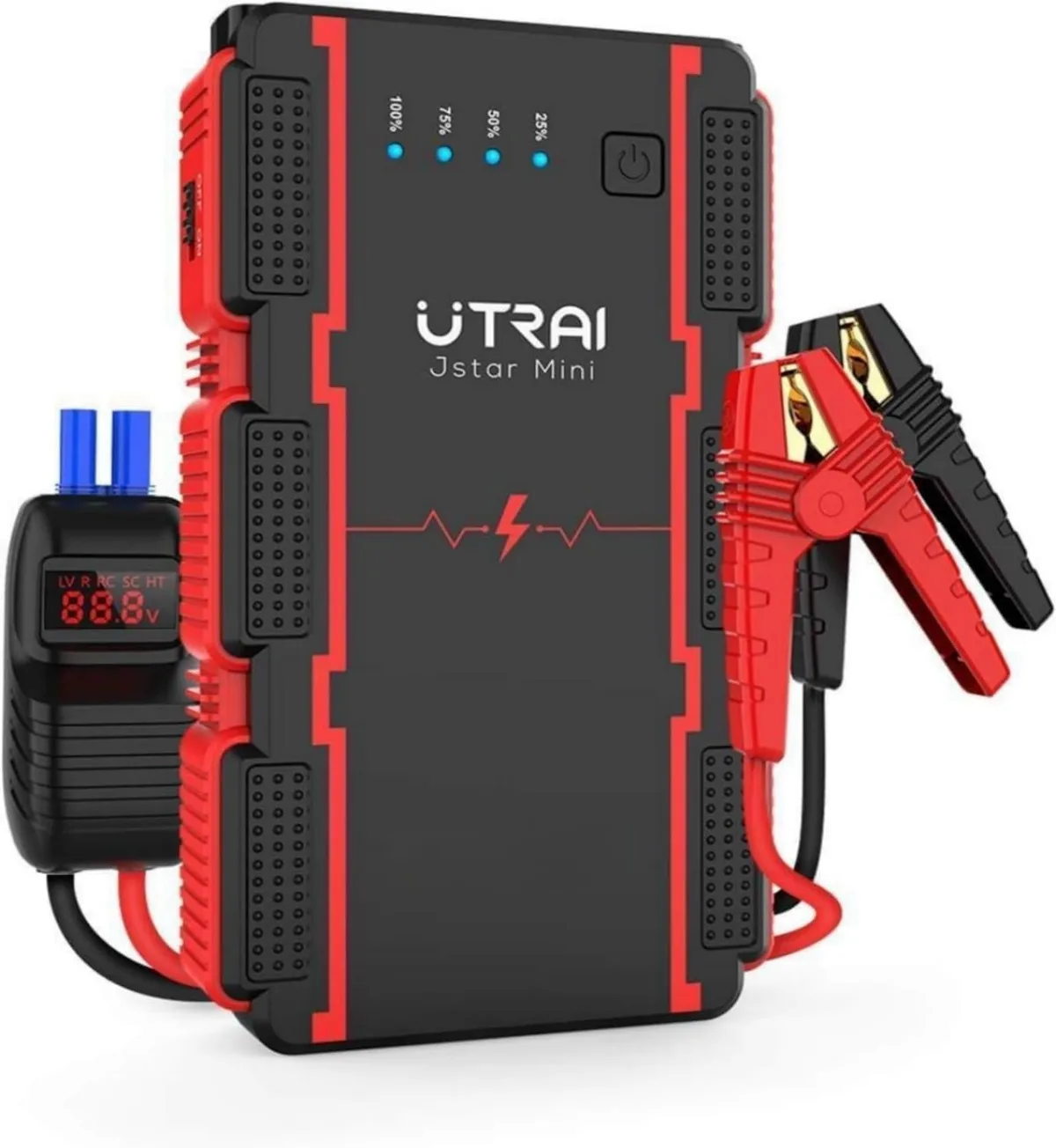
What a Jump Start Power Bank Actually Does (and When You Need One)
A jump start power bank is a portable lithium battery pack designed to deliver a short, high-current burst to a vehicle's dead 12V battery. It does not replace a battery. It gives the starter motor enough juice to turn the engine over until the alternator takes over.
Once the engine runs, the alternator recharges the car's battery, and the power bank disconnects.
You need one when:
- Your battery is dead from leaving the headlights on.
- Cold weather killed a weak battery overnight.
- Your car sat unused for weeks and the battery drained below 8V.
- You're stranded in a parking lot, campground, or remote area with no other vehicle nearby.
- You drive alone and can't flag down help.
What it can't do: a jump pack won't fix a dead alternator, a cracked battery case, or a battery so sulfated it won't accept any charge. We'll cover those limits in detail later.
First, Figure Out What You're Dealing With
Before you pop the hood and grab the clamps, you need to know a few things about your specific situation. The right connection sequence, rest time, and pack size all depend on what's actually wrong. Let's branch through the common scenarios.
Gas vs. Diesel — Why It Changes Everything
Diesel engines need far more cranking amps than gas engines because of the high compression ratio and glow plug draw. A typical 3.0L diesel can demand 400 to 600 amps just to spin over. Most consumer-grade jump packs rated at 1,000 peak amps will handle a small diesel, but a 6.6L Duramax or Power Stroke needs a pack rated at 2,000 peak amps minimum.
If you're driving a gas car, almost any pack rated at 800A peak will jump a 4-cylinder to a V8. Check the engine size on the sticker under the hood or in the owner's manual before you buy or borrow one.
How Dead Is "Dead"? (Clicking, No Lights, Total Blackout)
Not all "dead" batteries behave the same:
- Clicking sound, lights dim: the battery has some charge but not enough to crank. A jump pack will fix this in seconds.
- No clicking, no lights, total blackout: the battery is below 4V or fully discharged. Some smart packs won't even engage because they sense the voltage is too low. We'll cover the workaround below.
- Battery reads 0V on a multimeter: likely sulfated or internally shorted. A jump pack may not help, and a battery charger is the better tool here.
Sizing Up Your Engine vs. the Power Bank
| Engine Type | Typical Displacement | Minimum Peak Amp Rating |
|---|---|---|
| Motorcycle / ATV | 250cc to 1,500cc | 300A to 500A |
| 4-Cylinder Gas | 1.6L to 2.5L | 800A to 1,000A |
| V6 / V8 Gas | 3.0L to 6.2L | 1,500A to 2,500A |
| Small Diesel | 2.0L to 3.0L | 1,500A to 2,000A |
| Large Diesel | 6.6L+ | 2,500A to 4,000A |
If your engine size exceeds the pack's rating, you'll get a click but no crank. That mismatch is the single biggest reason a jump pack "doesn't work."
Quick Answer: Can a Jump Pack Start Your Car Right Now?
Yes, if the pack is charged above 50 percent, the battery is above 2V, and the pack's cranking amp rating matches your engine size. In our research, the most common reason a jump fails is not the pack. It's a low-charge pack pulled from a glove box after six months of storage, then connected to a battery with reversed clamps.
Get those three variables right, and you'll start the car in under a minute.
The Gear You Need Before You Start
You don't need much, but the few items that matter most are often the ones people forget at home. Here's a quick checklist.
- The jump pack itself, fully charged.
- Smart jumper clamps (most come attached or in the box).
- Safety glasses if you have them.
- A clean rag to wipe corroded terminals.
- Your owner's manual to confirm battery location (some cars hide it under a cover or in the trunk).
Understanding Peak Amps, Cranking Amps, and Battery Capacity
These three numbers show up on every box, and they confuse almost everyone.
- Peak amps: the maximum burst the pack can deliver for 1 to 2 seconds. This is the marketing number and the one most people quote.
- Cranking amps (CA): the sustained current the pack can deliver for 30 seconds at 32°F. This is the number that actually matters for starting.
- Battery capacity (mAh or Wh): how much energy the pack holds for non-jump uses like charging a phone. It tells you nothing about starting power.
A pack rated 2,000A peak might only deliver 500A cranking. Always check the fine print. Per manufacturer specifications from brands like NOCO and Antigravity, the cranking amp rating is the reliable number for matching engine size.
Smart Clamps, Reverse Polarity Protection, and Safety Features
Most modern jump packs include smart cables with a built-in control box. Look for these features:
- Reverse polarity alarm: beeps or flashes red if you swap the clamps.
- Spark-proof technology: prevents sparking when you first touch the clamp to the terminal.
- Overcurrent protection: cuts power if the pack is asked to deliver more than it's rated for.
- Short circuit protection: shuts down instantly if the clamps touch each other.
- Thermal protection: stops operation if the pack overheats from repeated cranks.
These features are not optional on cheap packs. They're the reason the pack doesn't fry your car's ECU when you make a wiring mistake.
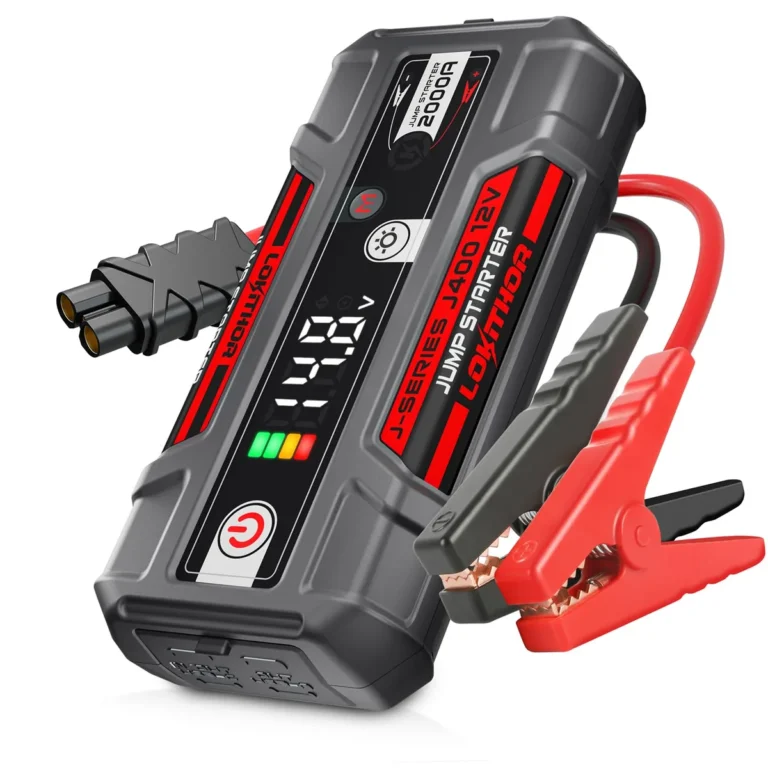
What's Actually Inside the Box (Cables, Ports, Flashlight, Case)
A typical jump pack includes the unit, smart clamps, a wall charger, a 12V car charger, and a soft carrying bag. Higher-end units add a USB-C PD port for laptop charging, a 12V/10A DC output for tire inflators or inverters, and an LED flashlight with steady, strobe, and SOS modes.
For a pure jump-start workflow, you only need the unit and the clamps. Everything else is a bonus you may or may not use.
The Underwriters Laboratories certification mark on a jump pack tells you the unit has passed third-party safety testing. Look for it on the label if you're buying a new unit.
Preparing Your Car and the Power Bank
A successful jump starts with setup. Skip the prep and you'll spend 10 minutes fumbling with corroded terminals while traffic piles up behind you. Here's what to do before any clamp touches metal.
Checking the Power Bank's Charge Level
Press the power button. Look for the indicator lights or LCD percentage. The pack should be above 50 percent.
Below that, the cranking amps drop sharply and the unit may refuse to engage. Top it off at home if you have time. A full charge on a 20,000mAh pack takes 3 to 9 hours depending on the input rating.
Parking Brake, Gear Position, and Ignition Off
Set the parking brake. Confirm the transmission is in Park (automatic) or Neutral (manual). Turn the ignition fully off and take the key out.
Pull the headlight switch to Off so a sudden crank doesn't spike the bulbs. Pop the hood and secure it with the rod.
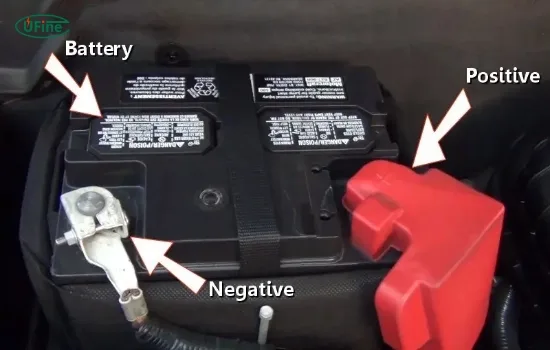
Identifying Positive (+), Negative (−), and a Safe Ground Point
Look for the plus sign (+) stamped near the larger terminal. That's positive. The minus sign (−) marks negative.
If the markings are worn off, trace the red wire from the battery to the fuse box. Red is positive. Black is negative.
The black clamp does not go on the negative terminal in modern practice. It goes on a clean, unpainted metal ground point. Look for a thick bracket, engine lift hook, or bolt head 12 inches or more from the battery.
Why? Sparking on the battery post can ignite hydrogen gas venting from a deeply discharged cell. A grounded metal surface keeps the spark safely away from that gas.
Step-by-Step: How to Use a Jump Start Power Bank
Here's the exact sequence. Follow it in order. Each step matters.
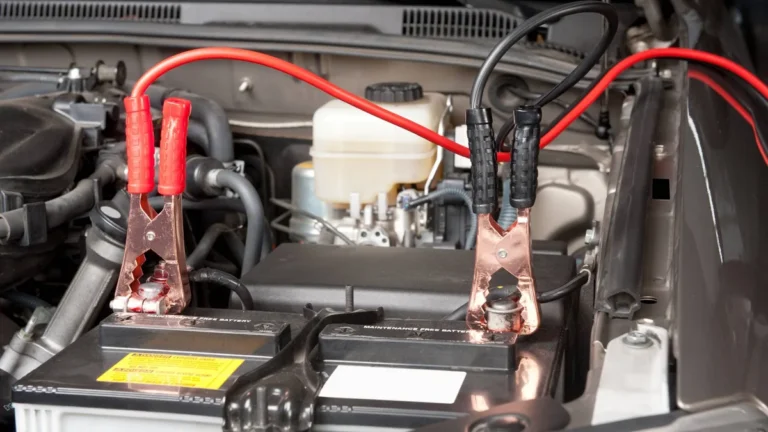
Step 1 — Connect the Red Clamp to the Positive Terminal
Open the smart clamp control box. Plug the cable into the pack if it's detachable. Place the red clamp directly on the positive (+) battery post.
Wiggle it to bite through any corrosion. The teeth should seat firmly.
Step 2 — Connect the Black Clamp to a Grounded Metal Surface (Not the Battery)
Take the black clamp and lock it onto your chosen unpainted bracket or engine bolt. Make sure it's a solid metal-to-metal contact. Painted surfaces and rubber mounts don't conduct.
Step 3 — Power On the Jump Pack and Wait for the Green Light
Switch on the pack. Some units have a separate "Boost" or "Start" button. Press it.
Wait for a solid green LED or a steady "ready" tone. A flashing red light means reverse polarity or a poor connection. Stop and recheck.
Step 4 — Crank the Engine (3–5 Seconds Max)
Hop in the car. Turn the key (or press the start button with the clutch or brake depressed) and hold the crank for no more than 3 to 5 seconds. Release immediately if it doesn't fire.
Do not crank for 10 or 15 seconds. That overheats the pack and drains it past recovery.
Step 5 — Disconnect in Reverse Order
Once the engine is running, leave it idling. Disconnect the black clamp from the ground first. Then remove the red clamp from the positive terminal.
Never let the two clamps touch while still connected to a live battery.
Step 6 — Let the Alternator Recharge the Battery
Drive for at least 20 to 30 minutes. The alternator needs real road load to push a meaningful charge back into the battery. Sitting in a parking lot at idle barely tops it off.
If your battery keeps dying after a successful jump, the battery itself is the problem, not the jump procedure.
What to Do When It Doesn't Work the First Time
A dead battery often needs more than one crank. Here's how to troubleshoot.
Clicking but No Start
The battery has a little charge but not enough to spin the starter. Let the pack sit connected for 2 to 3 minutes before the next crank. This lets the residual voltage in the dead battery rise just enough to combine with the pack's output.
Then try again.
Green Light but Nothing Happens
The connection is poor. Re-seat both clamps. Wipe corrosion off the terminals with a rag.
Confirm the ground clamp is on bare metal. Try a different ground point if needed.
Sparks, Smoke, or Beeping Alarms
Stop immediately. Disconnect the pack. A reverse polarity alarm means the clamps are swapped.
Smoke or melted plastic means a short circuit. Check for a loose cable touching both terminals at once. Inspect the smart clamp box for damage before trying again.
Battery Is Too Far Gone to Accept a Jump
If the battery reads under 2V on a multimeter, most smart packs won't engage the boost function. This is a built-in safety to protect the pack and the car's electronics. The workaround is "force mode" if your pack has one.
Hold the boost button for 3 seconds to override the safety and force a start. Check your manual first. Not all packs have this, and using it on a battery with an internal short can cause the battery to vent or rupture.
Common Mistakes That Damage the Power Bank or Your Car
These are the errors that show up over and over in warranty claims and roadside service calls.
Wrong Clamp Order and Reverse Polarity
Red on positive, black on ground. Reverse the clamps and you'll see a red light and an alarm. Continue anyway and you risk frying the alternator diode, the ECU, or the pack itself.
Reverse polarity damage is the most expensive mistake a jump pack user can make.
Cranking Too Long Without Resting the Pack
A pack rated for 5-second bursts needs 30 seconds to 2 minutes of rest between attempts. Cranking repeatedly until the pack dies overheats the lithium cells. It can permanently reduce capacity or trigger a thermal shutdown.
Using the Wrong Size Jump Pack for Your Engine
A 600A pack on a 6.0L V8 diesel won't crank, no matter how long you hold the key. The starter motor demands more current than the pack can deliver, and the result is a click. Match the pack to the engine.
We've covered the size table above.
Skipping the Grounded Metal Surface Step
Putting the black clamp directly on the negative post is the older jumper cable approach. With a smart jump pack, it's riskier because the pack can deliver its full current in a single burst, and any spark lands right on the battery. Use a ground bracket instead.
Jump-Starting a Frozen, Cracked, or Leaking Battery
A frozen battery can explode if you try to crank it. A cracked case means acid is leaking. A swollen, bulging battery is internally shorted.
In all three cases, don't jump. Call for service or replace the battery first.
Safety Rules You Can't Afford to Skip
Battery work is mostly safe, but the failure modes are severe.
Hydrogen Gas and Why You Don't Smoke Near a Battery
A deeply discharged battery releases hydrogen gas as it charges. Hydrogen ignites at the smallest spark. Keep flames, cigarettes, and sparks away from the engine bay during the first few minutes of connection.
Work in a ventilated area if possible.
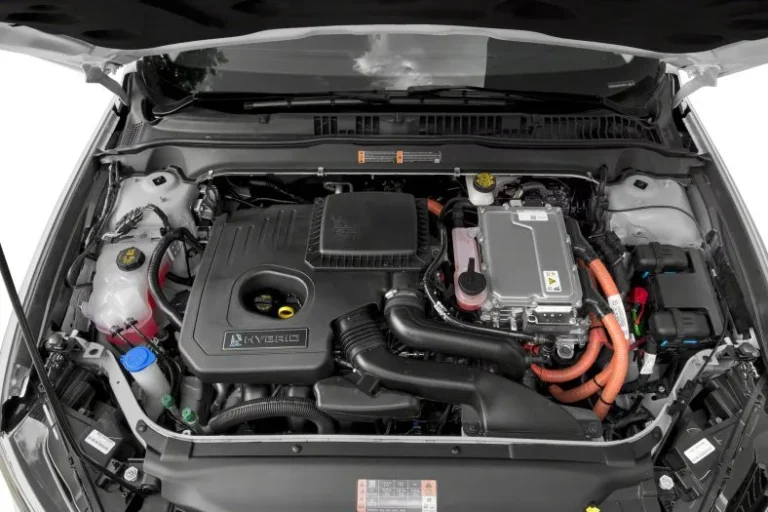
Hybrid and EV 12V Auxiliary Batteries — What's Different
Hybrids and EVs still have a 12V auxiliary battery that powers accessories and the ECU. That battery can be jumped with a normal pack. The high-voltage traction battery (usually orange cables, 200V to 800V) cannot and must not be jumped.
Stay on the 12V system only.
Air Travel Rules for Lithium Jump Packs (FAA 100Wh Limit)
Per FAA hazardous material regulations, lithium battery packs must be under 100Wh to fly in carry-on luggage. Packs between 100Wh and 160Wh require airline approval. Anything over 160Wh is banned from passenger aircraft.
Most 20,000mAh jump packs fall around 74Wh and fly fine. Larger 30,000mAh units at 111Wh need airline sign-off.
When to Stop and Call Roadside Assistance Instead
If the engine cranks but won't fire, the issue is not the battery. It's fuel, spark, or compression. If the battery is physically damaged, leaking, or swollen, do not connect.
If you smell rotten eggs (sulfur), the battery is venting gas. In any of these cases, call a service truck or a tow to a shop. A jump pack is for dead batteries, not dead engines.
Caring for Your Jump Pack So It's Ready Next Time
A jump pack that's sat in your trunk for a year at zero percent is a brick. Recharge it every 2 to 3 months to fight the 10 to 15 percent monthly self-discharge of lithium-ion cells. Store it between 32°F and 80°F.
Heat kills lithium batteries faster than cold. Test it once a year by jump-starting your own car on a known-good battery, or by running a 12V load test.
Jump Pack vs. the Alternatives
A jump pack wins on portability. Jumper cables with a donor car cost less but require a second vehicle. A trickle charger is better for long-term battery repair, not emergencies.
AAA beats both on convenience if you have coverage and don't mind the wait. Push-starting works only on manual transmissions. Pick the jump pack if you drive alone, park far from help, or live where cold kills batteries.
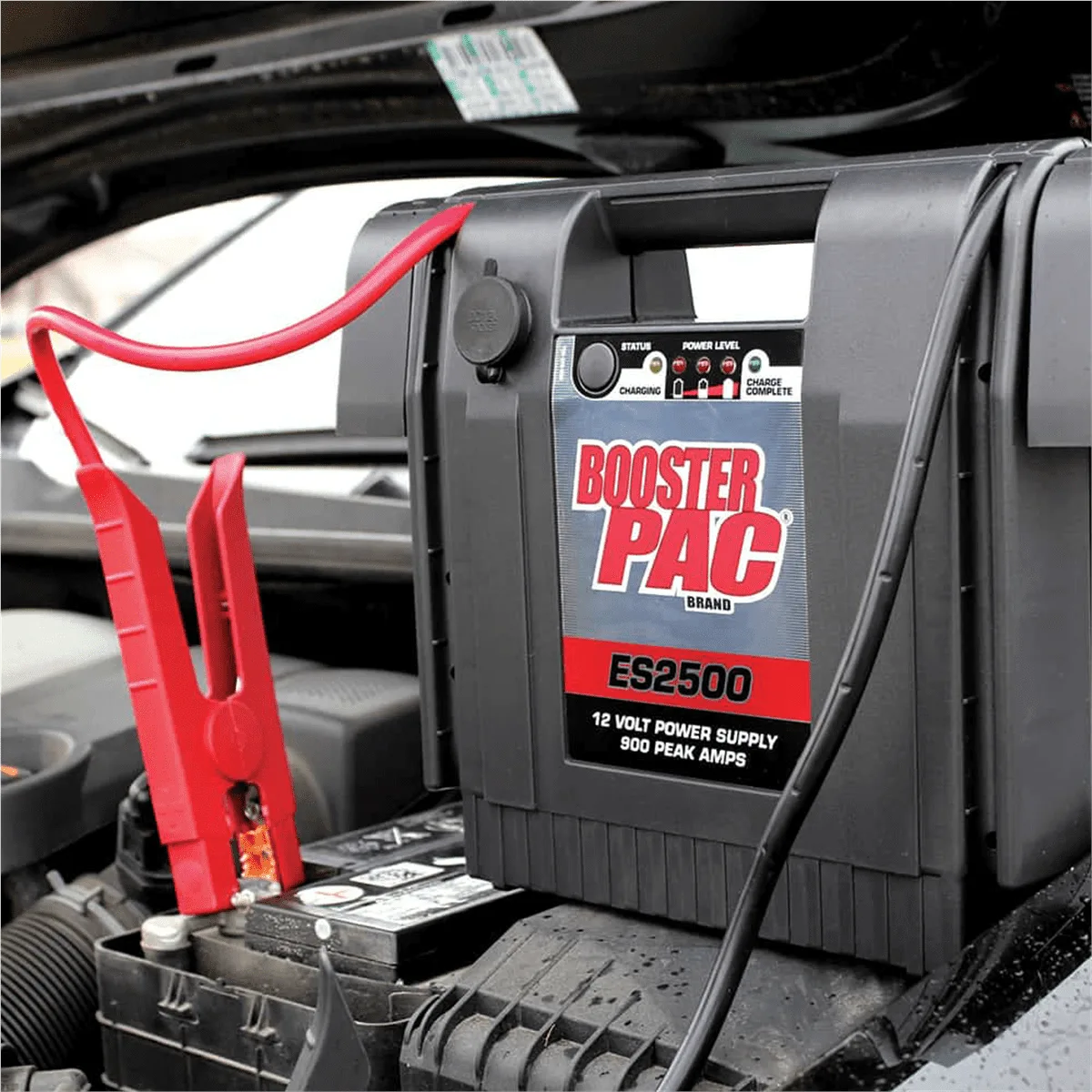
Jump Pack Specs and What They Actually Mean
Peak amps sound impressive on the label. Cranking amps tell you what the pack can actually deliver for the 30 seconds your starter draws. A 2,000A peak pack typically puts out 500A cranking, which is enough for most V8 gas engines.
Cold cuts that output by 20 to 40 percent, so oversize for winter.
Picking the Right Jump Pack for Your Situation
Daily drivers in mild climates do fine with a 1,000A pack. Cold-climate drivers need 1,500A minimum to handle derated output. Diesel owners and RV drivers should look at 2,500A or higher.
Motorcycle and lawn equipment use works with 500A packs. Off-grid and overlanding users should prioritize capacity (Wh) for charging laptops and running 12V accessories.
Frequently Asked Questions
Can a Jump Pack Start a Completely Dead (0V) Battery?
Most smart jump packs refuse to engage below 2V. The override is "force mode," a 3-second button hold on certain units. Use it cautiously.
A 0V battery often has an internal short, and forcing current into it can cause swelling or rupture. Test with a multimeter first.
How Long Does a Jump Pack Hold Its Charge in Storage?
Lithium jump packs self-discharge at roughly 10 to 15 percent per month. A fully charged pack stored for six months will drop to 30 to 40 percent, which is borderline for starting. Recharge every 90 days.
Will a Jump Pack Damage My Car's ECU or Electronics?
Modern smart packs with reverse polarity and overvoltage protection won't. Older or cheap packs without those circuits can spike the alternator diode on disconnect. Stick to UL-listed units with spark-proof clamps.
Can I Use My Jump Pack to Charge My Phone or Laptop?
Yes. Most packs include USB-A, USB-C PD, and sometimes a 12V DC output. A 20,000mAh pack can recharge a phone four to six times or top off a laptop once.
The USB output won't drain the jump-start reserve on most units.
Is It Safe to Jump-Start in the Rain?
Yes, but avoid getting the smart clamp box or the battery terminals wet. Water on the terminals dilutes battery acid and can cause a small conductive path between posts. Wipe everything dry before connecting.