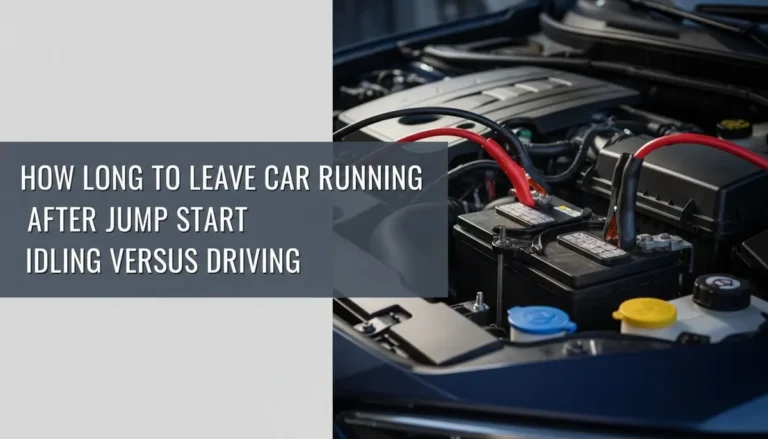
How to use buture jump starter: Best guide
How to use a Buture jump starter comes down to a clean sequence: check the unit, confirm the clamps, attach red to positive, attach black to a grounded metal point, power on, crank the engine, and remove the clamps in reverse. Most failed attempts happen because people skip a step or attach the black clamp to the dead battery's negative post when the vehicle's voltage has dropped too low for the smart clamps to detect.
Most Buture models range from 1500A to 5000A peak output and are rated for engines up to roughly 7.0L gasoline and 5.5L diesel, which covers the vast majority of cars, SUVs, and light trucks on the road as of 2026. That said, peak amps and engine compatibility are different numbers, so the rest of this guide walks through which model class fits which situation, how to handle a battery that's too dead to register, and how to read the beeps when something's off.
Quick Answer
To use a Buture jump starter, power it on and check the battery indicator. Connect the red clamp to the battery's positive (+) terminal. Connect the black clamp to an unpainted metal ground on the engine block.
Wait for the green ready light. Crank the engine for 3 to 5 seconds. Disconnect the black clamp first, then the red.
What Your Buture Jump Starter Actually Does Before You Touch It
A Buture jump starter is a compact lithium-ion power bank that delivers a short, high-amperage burst to crank a 12V starter motor. It does not replace a dead battery. The battery in the car still has to be present, even if drained to almost zero volts.
Think of the jump starter as an external push, not a substitute.
Inside the unit, a lithium iron phosphate or lithium-ion cell stores energy in watt-hours (Wh). That stored energy passes through an internal circuit board that limits voltage and monitors temperature. When you connect the smart clamps, the board checks for correct polarity before allowing current to flow.
That's why a properly working Buture simply won't dump power if you hook the cables up backward.
Manufacturer specifications indicate that Buture's 3000A to 5000A peak units can crank most gasoline engines up to 7.0L and diesel engines up to about 5.5L, though ambient temperature, oil viscosity, and the battery's remaining voltage all influence real-world results. Per SAE International's J537 standard, a healthy 12V automotive battery rests at around 12.6V, and anything below 11.8V is considered discharged.
Here's the practical takeaway:
- The jump starter is a booster, not a charger.
- Smart clamps enforce polarity safety automatically.
- Cold engines and large diesels demand more amps than warm small engines.
Reading the Buture Display, Lights, and Buttons
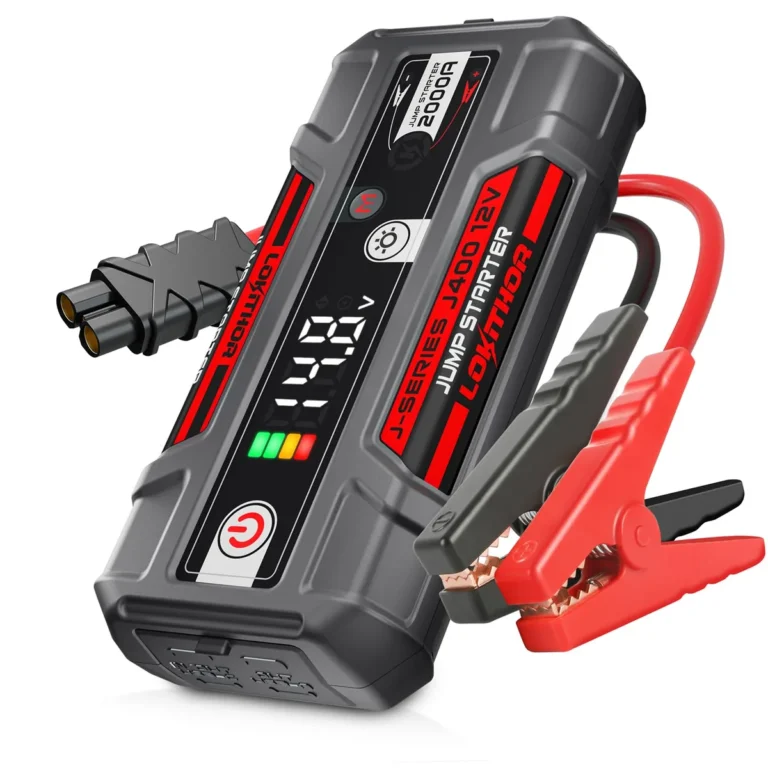
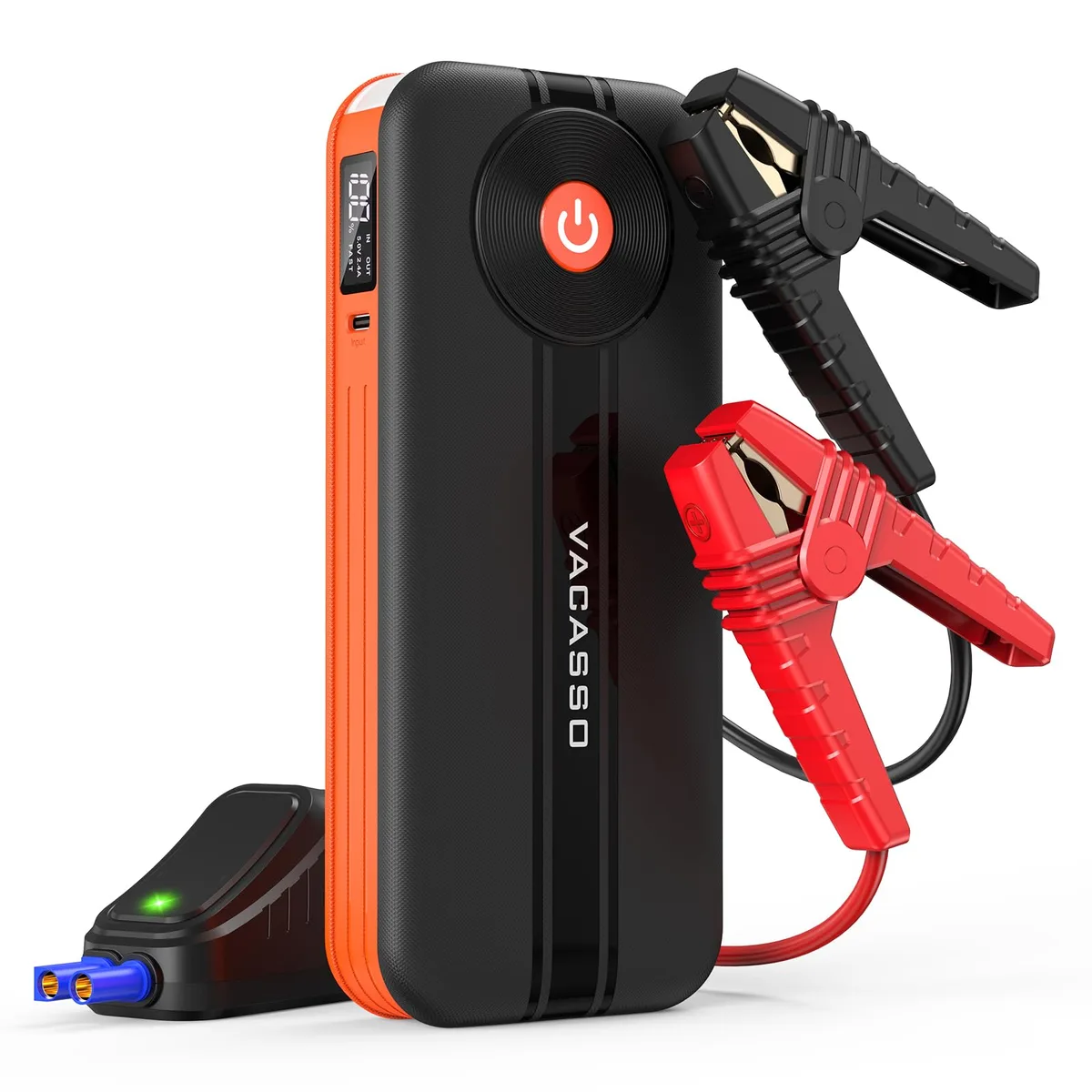
Every current Buture model has three things in common: a power button, a battery percentage indicator (LCD or LED bar), and a set of status lights built into the smart clamp cable. If you can read those, you can diagnose most problems before they cost you a trip.
Battery Percentage
The internal lithium pack should sit above 50% for a reliable jump. Aggregate user reports consistently mention failed starts when the unit was stored at low state of charge. If the unit reads below 30%, recharge it first or borrow a second jump starter.
Status Lights on the Smart Clamps
The clamp module typically shows:
- Solid green: ready to crank the engine.
- Solid red or flashing red: fault detected (reverse polarity, low voltage, short circuit, overcurrent).
- No light: the unit isn't powered on, the clamp module isn't fully seated, or the internal battery is dead.
Function Buttons
Depending on model you'll see:
- A flashlight button (cycles solid, SOS, strobe).
- A "Force" or "Override" button for severely discharged batteries.
- A voltage or mode toggle on the LCD screen.
Don't press Force unless you understand what it does. We cover that below in the dead battery scenario.
Pre-Jump Inspection: Checking the Battery and Clamps First
Ninety percent of jump-start headaches start before the clamps ever touch a terminal. A quick visual check takes 60 seconds and prevents sparks, reversed connections, or damage to the unit's protection circuitry.
Look at the Battery
Crack open the hood and inspect the battery itself. A bulging case, a sulfur smell, or wet residue around the vents means the battery is failing internally. Do not jump a visibly damaged battery.
The off-gassing can ignite from a spark at the terminal.
Identify the Terminals
Positive (+) is marked in red and is usually slightly larger. Negative (−) is marked in black. On most vehicles, the negative terminal connects to the chassis through a cable.
That matters for your ground point.
Inspect the Clamps
Check the metal teeth. Bent, corroded, or loose clamps won't bite the terminal properly, which causes voltage drop and a failed crank. If the smart clamp module has a loose connector, push it firmly back into the host unit until it clicks.
Confirm the Unit Has Charge
Press the power button. If the indicator lights up and reads above 50%, you're good to proceed. If it doesn't turn on at all, plug it into a wall charger for at least 30 minutes before attempting a jump.
| Check | Pass Condition | Fail Action |
|---|---|---|
| Battery case | No bulge, no leaks, no smell | Replace battery, don't jump |
| Terminals | Clean, identifiable, no heavy corrosion | Clean with a wire brush |
| Clamp cable | Fully seated, no exposed wire | Reseat or replace cable |
| Jump starter | Above 50% charge, powers on | Recharge first |
If anything fails this table, stop and resolve it before continuing.
How to Jump Start a Gas Car with a Buture (Step-by-Step)
This is the standard sequence for a typical gasoline car or SUV with a discharged but not damaged 12V battery. Cold engines and larger displacements will demand more from the unit, so allow longer rest intervals between attempts.
- Park the vehicle in park or neutral with the parking brake set. Turn off all accessories (lights, radio, climate control).
- Place the Buture on a stable, dry surface near the battery. Don't rest it on the engine itself where vibration can move it.
- Confirm the jump starter is powered off before connecting the clamps.
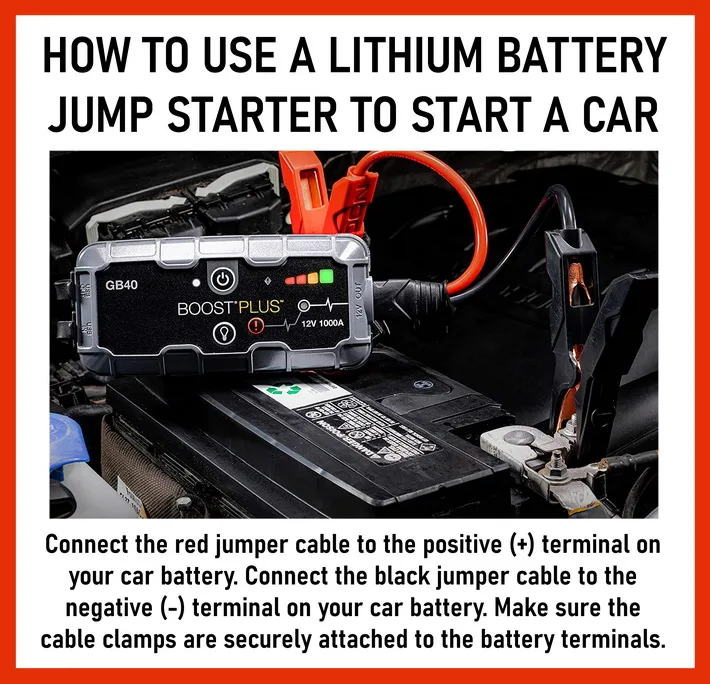
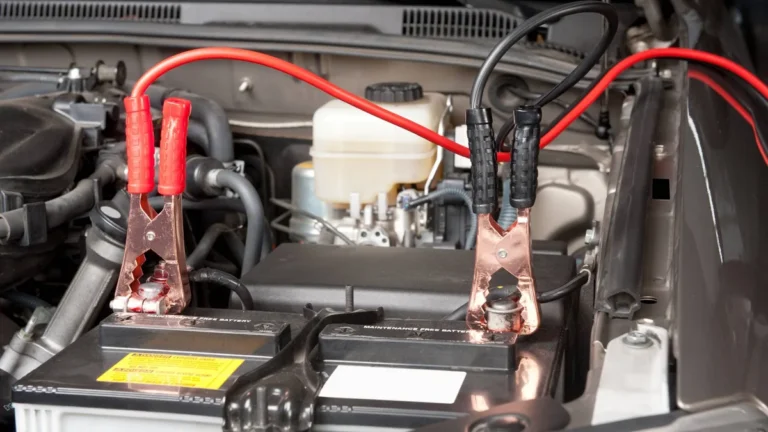
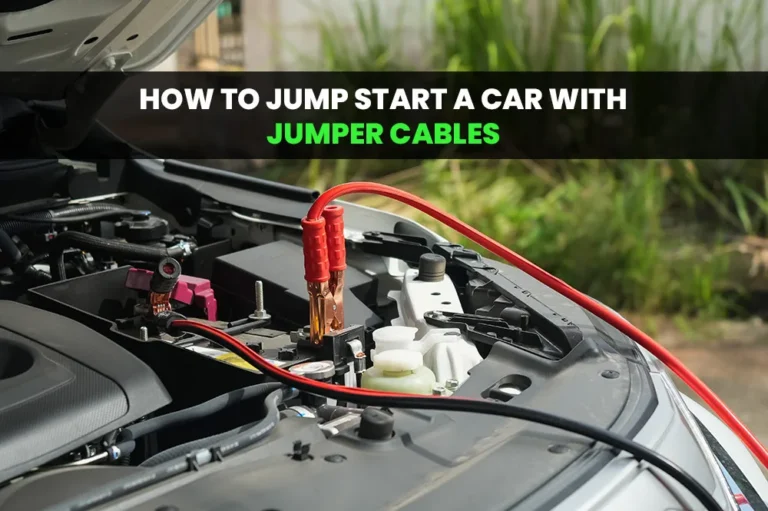
- Attach the red clamp to the battery's positive (+) terminal. Wiggle it slightly to confirm a solid bite.
- Attach the black clamp to an unpainted metal ground point on the engine block or chassis, away from the battery, fuel lines, and moving parts. A bolt on the engine bracket works well.
- Power on the Buture. Wait for the green ready light on the clamp module.
- Crank the engine for no more than 5 seconds. If it doesn't fire, wait 30 to 60 seconds before trying again to let the unit recover.
- Once the engine starts, disconnect the black clamp first, then the red clamp.
- Leave the vehicle running for at least 20 minutes or drive it to recharge the battery through the alternator.
If It Doesn't Crank on the First Try
- Confirm both clamps have a solid metal-to-metal connection.
- Check that the unit still shows above 25% charge after the attempt.
- Try a different ground point.
- Wait a full minute before the next crank.
If three consecutive attempts fail, the battery is likely too discharged or damaged. That's when you switch to Force mode, which we cover next.
How to Jump Start a Diesel Truck or SUV with a Buture
Diesel engines need more cranking amps than gas engines of similar size because they compress air to a higher ratio. Per manufacturer compatibility charts, most Buture models rated at 3000A or higher are rated for diesels up to about 5.5L, and the 5000A peak units stretch to roughly 8.0L under ideal conditions.
The procedure is identical to a gasoline vehicle, but three details matter more:
- Battery bank size. Many diesels run two 12V batteries in parallel. Jumping one battery terminals energizes both, but the unit works harder.
- Glow plugs. On a cold diesel, the glow plug cycle draws current before cranking. Wait for the wait-to-start light to go off before you hit the ignition.
- Crank duration. Plan on 5 to 8 second cranking attempts instead of the 3 to 5 second bursts a gas engine typically needs.
If your Buture is a 1500A or 2000A peak unit, it can still jump small 3.0L diesels in warm weather, but cold-soaked 6.7L Power Stroke or Cummins applications really do want the 3000A+ class. Trying to crank a heavy diesel with an undersized jump starter can overheat the unit and trip its thermal protection, which is exactly the scenario where the green light goes red and you get nothing.
| Engine Type | Minimum Buture Class | Crank Time | Rest Interval |
|---|---|---|---|
| 4-cyl gasoline | 1500A+ | 3 sec | 30 sec |
| V6 / V10 gasoline | 2000A to 3000A | 3 to 5 sec | 30 to 45 sec |
| Small diesel (under 3.0L) | 2000A to 3000A | 5 sec | 45 sec |
| Large diesel (5.0L to 8.0L) | 3000A to 5000A | 5 to 8 sec | 60 sec |
Cold weather adds roughly 30% to the cranking current required, so if your diesel is sitting in sub-freezing temps, give each crank the upper end of those durations and respect the rest interval. The internal cells recover during the pause, not during the crank.
What to Do When the Battery Is Too Dead for Clamp Detection (Force Mode)
This is the scenario that confuses most first-time users. You connect the clamps correctly, the unit powers on, but the green ready light never appears. Instead you get silence or a slow red blink.
What happened is the smart clamp module measured battery voltage, found it under its safe threshold (often around 2V to 3V), and refused to energize to protect the circuit.
Force mode bypasses that safety check. It tells the jump starter to send current regardless of detected voltage. Used correctly, it revives cars that have sat unused for months.
Used carelessly, it can spike a damaged battery or weld the clamps to the terminal.
Here's the decision tree:
- If the battery reads anywhere on a multimeter, even at 4V or 5V, try a normal start first.
- If the dashboard lights don't illuminate at all and the smart clamps stay dark, you're likely below the threshold.
- If you don't have a multimeter and the vehicle shows zero signs of life, Force mode is reasonable.
- If the battery is swollen, wet, or smells like rotten eggs, do not use Force mode. Replace the battery.
To activate Force mode on most Buture units, hold the Override or Force button for 3 to 5 seconds until the indicator switches from blinking red to solid green. Crank immediately, because the override typically lasts only 10 to 30 seconds before it resets.
Clamp Order, Polarity, and Where to Attach the Black Cable
The single most common jump-start mistake is attaching the black clamp to the dead battery's negative post instead of a chassis ground. When the battery is severely discharged, attaching to the negative post can produce a visible spark directly above the battery, which is exactly where hydrogen gas vents during normal operation.
The safer sequence is:
- Red clamp: battery positive (+) terminal.
- Black clamp: unpainted metal on the engine block, alternator bracket, or a designated ground bolt.
- Never connect both clamps to the same battery.
- Never connect the black clamp to a fuel line, throttle body, or moving accessory belt.
For polarity, the smart clamps will refuse to deliver current if you swap red and black, so reverse connection usually means a red fault light and a buzzer rather than damage. Always respect that indicator. Aggregate user reports show that forcing through a polarity warning has, in a small number of cases, blown internal fuses inside the host pack, which then requires a clamp cable replacement.
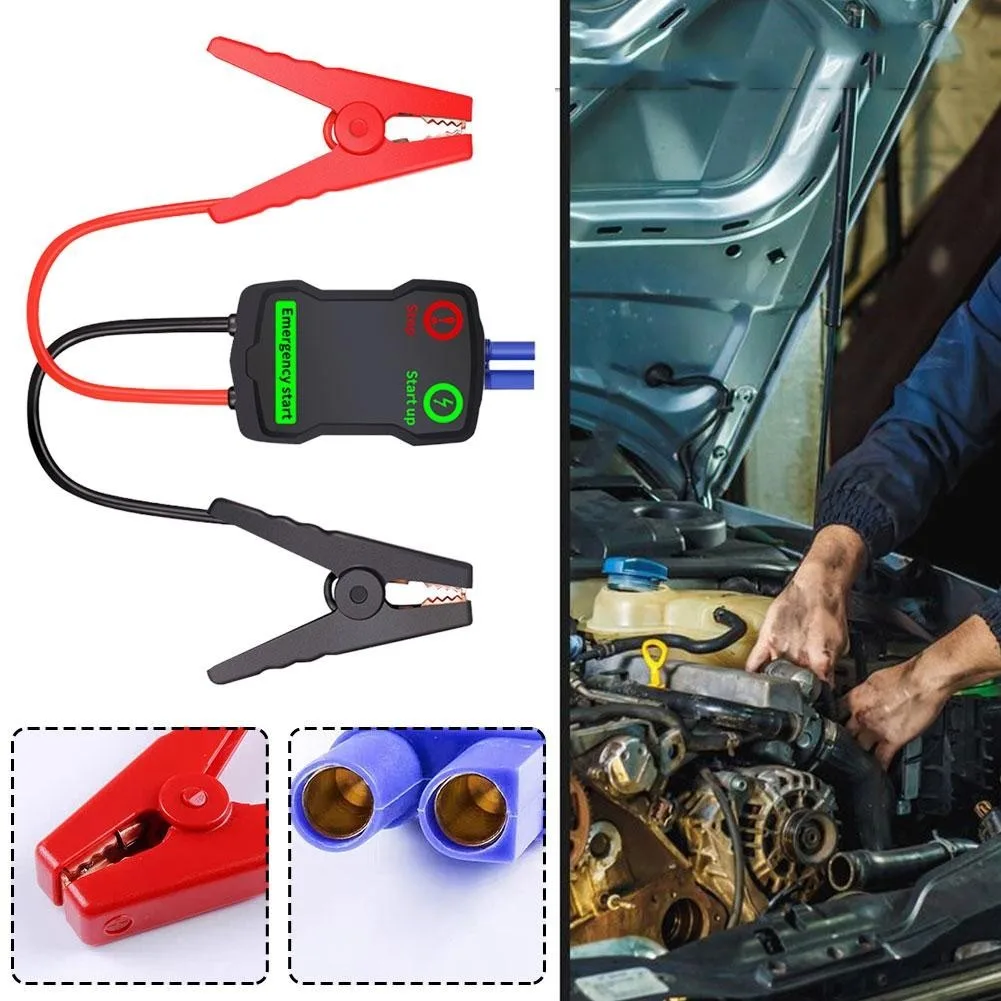
When removing the clamps, work in reverse: black first, then red. Keep the clamps apart from each other and away from the engine's fans or belts while the engine is running.
What the Beeps and Flashing Lights Actually Mean
The smart clamp module is a diagnostic tool, not just a cable. Learning its language saves you from guessing.
Common patterns on Buture models include:
- Single short beep every few seconds: clamps not connected, or not detecting a battery. Re-seat both clamps and confirm the unit is powered on.
- Continuous beep: reverse polarity. Swap the clamps.
- Fast flashing red: short circuit or overcurrent. Disconnect immediately and inspect the clamps and terminals.
- Slow flashing red: low internal voltage on the jump starter. Recharge before retrying.
- Solid green: ready to crank.
If the unit shows solid green but the engine still won't crank, the problem isn't the jump starter. It's likely the starter motor, a corroded ground strap, or a battery with a dead cell that drops voltage the moment load is applied.
Buture Jump Starter Mistakes That Damage Your Car or the Unit
Most jump-starter damage is self-inflicted, and it falls into recognizable buckets. Our research across aggregate buyer feedback and manufacturer service bulletins points to a short list of repeat offenders.
Cranking Too Long
Holding the key for 15 or 20 seconds straight overheats the Buture's internal MOSFETs and can trip permanent thermal protection. Three to five seconds, then a real pause.
Skipping the Ground
Clamping black on the negative post works on a healthy battery. On a deeply discharged one, it can ignite vented hydrogen. Chassis ground every time.
Storing the Unit Dead
Lithium cells stored at 0% for months will drop below their safe recovery voltage. The unit then refuses to charge and the pack is effectively bricked. Store between 30% and 80%.
Using a Damaged Clamp Cable
A bent jaw, exposed wire, or loose connector at the clamp module can deliver inconsistent current and burn out the protection board.
Jumping a Frozen Battery
A frozen lead-acid battery may have ice inside the case. Cranking it can crack the case and leak acid. Warm the battery first, or replace it.
Forcing Through a Polarity Warning
If the smart clamps say no, they mean it. Honor the fault, fix the connection, then try again.
If you avoid those six mistakes, the Buture will outlast most of the batteries you'll ever jump.
Jump Starting in the Rain, Snow, or Extreme Cold
Wet conditions raise two real concerns. First, water conducts electricity, so a wet clamp sitting on a wet fender can drain current through the chassis instead of into the battery. Second, lithium cells lose effective capacity below freezing because the electrolyte thickens and internal resistance climbs.
Per UL 2743 standards that govern portable lithium jump starters, the units themselves are safe to operate in light rain and snow as long as the housing and cable insulation stay intact. The risk lives at the connection point, not in the host pack.
Practical moves for bad weather:
- Wipe both battery terminals dry before attaching the clamps.
- Stand on dry ground. A puddle under the engine block gives current a path through your shoes.
- Keep the Buture itself dry. Most units carry an IP64 splash rating at best, so a tarp or jacket helps.
- For sub-freezing conditions, warm the jump starter indoors or inside a vehicle for 10 to 15 minutes before use. A cold pack will read full charge but deliver less current.
- Expect cranking attempts to take 20% to 40% longer in zero-degree weather. Warm the engine block briefly with a heater if you can.
Manufacturer specs list a typical operating window of -20°C to 60°C for the host unit, but those are storage limits, not peak performance windows. Treat anything from 5°C to 35°C as the comfort zone.
Charging the Buture Back Up (Wall, Car, and USB-C PD)
Recharging matters as much as jumping, because a jump starter that isn't ready is dead weight in your trunk. Three input methods show up across the Buture range:
- Wall outlet (AC adapter, usually 15V/1A). Slowest but easiest. A full recharge from empty takes roughly 4 to 9 hours depending on capacity.
- 12V car outlet (cigarette lighter). Convenient on a long drive. Expect 5 to 8 hours for a full top-up.
- USB-C PD input. Newer Buture models accept 18W to 65W USB-C PD. A 30W PD brick cuts recharge time to roughly 2 to 3 hours.
Best practice is to recharge the unit within 24 hours of any jump-start event, even if it still reads 70% or 80%. That depth of discharge cycles the cells unnecessarily and shortens their usable capacity. Per general lithium-ion cell manufacturer guidance, partial top-ups are better than full discharges, which is the opposite of what people expect from older lead-acid habits.
Use the cable and adapter that shipped with the unit, or a reputable USB-C PD brick that matches the listed wattage. A 5W phone charger will technically charge, but it will take 12+ hours and is barely worth the effort.
Storing a Buture So It Actually Works in 6 Months
Lithium cells hate two storage extremes. Storing at 100% accelerates calendar aging. Storing at 0% drops the cells below their safe recovery voltage.
Both leave you with a unit that won't power on six months later.
A research-backed storage routine looks like this:
- Charge the unit to roughly 50% to 80% before putting it away.
- Store indoors at room temperature. A garage in Phoenix or a trunk in Minnesota will shorten cell life.
- Top up every 3 to 6 months. Set a phone reminder if you have to.
- Keep the unit away from flammable surfaces, especially during charging.
- Don't store it inside the vehicle if you can avoid it. Vehicle interiors swing from -20°C to 70°C across the year, which is the worst possible profile for lithium chemistry.
Aggregate user reviews consistently report that units stored at full charge for a year showed measurable capacity loss, while units stored at partial charge held near-rated capacity after the same period. The chemistry doesn't care about your good intentions, it cares about voltage and temperature.
Using the Flashlight, USB Ports, and 12V DC Output
The jump function is the headline, but the same internal battery powers a handful of secondary features. Knowing what you have turns the Buture into a true roadside tool rather than a single-purpose box.
LED Flashlight
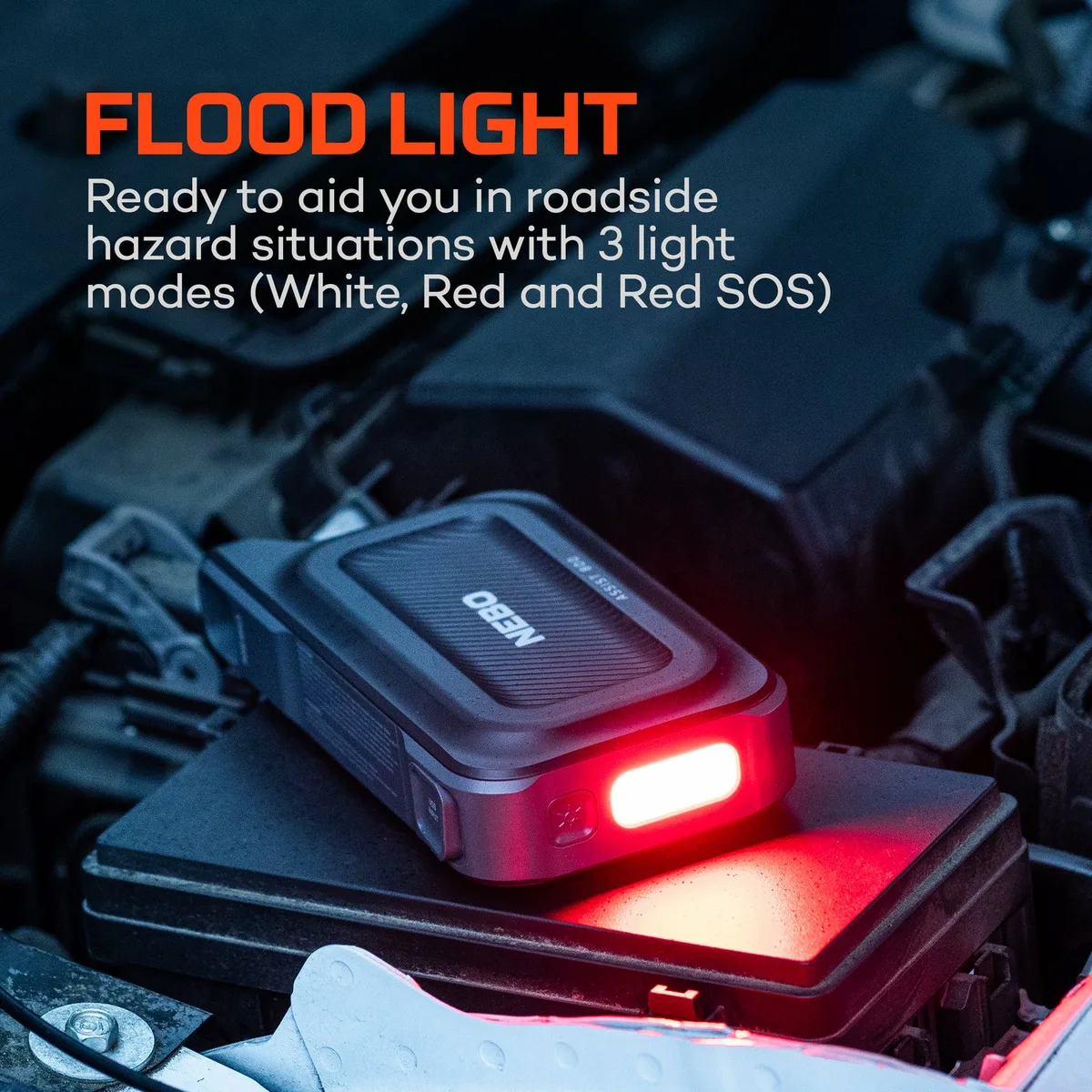
Most models include a 1W to 3W LED with three modes: solid, SOS, strobe. Solid is for under-hood work at night. SOS signals passing motorists if you're stranded on a road shoulder.
Strobe is useful for locating your vehicle in a parking lot or signaling at a campsite.
USB-A Output
Standard 5V/2.4A port charges most mobile devices at full speed. Useful for keeping your phone alive while you wait for roadside assistance.
USB-C PD Output (select models)
Delivers 18W to 65W to laptops, tablets, and modern phones. A dead laptop on a job site is a real problem, and the jump starter handles it as long as the unit has enough remaining charge.
12V / 16V / 19V DC Output
Some higher-end Buture units include a barrel-jack DC output for laptop chargers and small electronics. Match the voltage to your device. Using 19V on a 12V device will fry it.
Run any USB load at the same time as a jump and you'll pull capacity from the cells, which weakens the cranking burst. Charge your phone first, then jump the car.
Buture Jump Starter Troubleshooting: Won't Turn On, Won't Crank, Won't Hold Charge
When something goes sideways, the symptoms cluster neatly. Here's the decision tree that fixes most field failures.
Won't Turn On At All
The internal cells have likely dropped below their safe voltage threshold, usually after months of storage at low charge. Plug into a 15V/1A wall adapter for at least 30 minutes, even if no indicator lights appear. Most units wake up within an hour.
If nothing happens after two hours on the wall, the pack is likely bricked.
Turns On, Won't Crank
Check the clamp connection first. Then confirm the indicator reads above 30%. Try a different ground point.
Try Force mode if the battery is severely discharged. If the unit beeps a fast red flash, you have a short or overcurrent event. Disconnect everything and inspect.
Crank Worked Once, Now Won't Repeat
The unit may have overheated. Wait 10 minutes for the thermal sensor to reset. Check the unit's charge level.
Each jump draws 5% to 20% of the host pack depending on engine size, so a borderline-full unit may only manage one start.
Holds Charge for a Day, Then Dies
The internal cells are aging. A lithium pack rated for 1000 cycles typically holds 80% of original capacity at that point. If yours is 3 to 4 years old and dropping charge overnight, replacement is the realistic answer.
Won't Accept Charge
Wrong adapter, dirty USB-C port, or a tripped protection board. Try a different cable and adapter first. If the unit still won't take charge after two attempts, contact Buture support.
Most current models carry an 18 to 24 month warranty.
How Long a Buture Lasts and When to Replace the Battery
Manufacturer-rated cycle counts vary by chemistry and cell grade, but most lithium jump starters are rated for 800 to 1500 full charge-discharge cycles before capacity drops to 80%. In real terms, that's roughly 3 to 5 years of regular use, or longer if you only jump occasionally and top up correctly.
Replacement is the right call when:
- The unit holds less than 50% of its original capacity.
- It won't power on after a proper overnight top-up.
- The smart clamps show fault lights even with nothing connected.
- The case is swollen, hot to the touch, or smells off. Lithium cell failure can lead to thermal runaway, which is a fire risk.
When that day comes, recycle the old pack at a certified e-waste facility rather than tossing it in household garbage. Per OSHA battery handling guidance, damaged lithium cells should never go in regular trash because puncture during collection can ignite the cell.
Safety Rules: Lithium Cells, Venting Batteries, and Air Travel
Lithium jump starters pack serious energy into a small box, which means three real-world safety topics deserve explicit attention.
Vehicle-Side Safety
- Never jump a battery with visible damage, swelling, or active leakage.
- Don't smoke near the battery.
- Remove rings, watches, and dangling metal jewelry. A dropped wrench across both terminals produces a dead short.
- Keep the area ventilated. Charging and discharging a lead-acid battery releases hydrogen, which is flammable above about 4% concentration in air.
Unit-Side Safety
- Don't puncture, crush, or incinerate the unit.
- Don't leave it in direct sun on a dashboard. Internal cells can exceed their safe temperature range above roughly 60°C.
- Don't submerge it. Most carry splash protection, not submersion ratings.
Air Travel
Per FAA and Department of Transportation lithium battery guidance, portable jump starters must travel in carry-on luggage, not checked bags, because of the fire risk in a cargo hold. Watt-hour ratings under 100Wh are generally allowed without airline approval, and units between 100Wh and 160Wh require airline permission. Anything above 160Wh is prohibited on passenger aircraft.
Most consumer Buture units fall in the 30Wh to 80Wh range, which means easy carry-on status, but always check the label on the back of the unit before flying.
For workplace handling, OSHA's general industry guidance on battery storage and ventilation applies when units are stored in quantity. Spread the units out, don't stack them fully charged against each other, and keep them away from flammable materials.
Quick Reference: Buture Jump Starter Decision Guide by Situation
If you've read this far, you have the whole picture. The table below condenses the workflow into one place you can screenshot.
| Situation | First Action | Tool Setting | Clamp Order |
|---|---|---|---|
| Standard gas car, dashboard lights dim | Normal start | Default mode | Red +, black engine block |
| Battery completely flat, no dash lights | Force mode after a normal attempt fails | Force/Override | Red +, black chassis bolt |
| Diesel truck under 5.5L | Normal start with longer crank | Default | Red +, black engine block |
| Large diesel 6.0L+ | Use 3000A+ unit, 5 to 8 sec cranks | Default | Red +, black chassis ground |
| Cold-soaked engine (below freezing) | Warm unit indoors first, longer crank | Default | Red +, black engine block |
| Wet weather | Dry terminals, stand on dry ground | Default | Red +, black engine block |
| Reverse polarity warning | Swap clamps, do not override | N/A | Reverse connection |
| Unit won't turn on after storage | Wall charge 30 to 60 min | N/A | N/A |
If your situation isn't on this table, the answer usually defaults to the standard gas car procedure with longer crank times. The Buture is built to be forgiving as long as you respect the smart clamps and don't override warnings you don't fully understand.
Frequently Asked Questions
How long does it take to jump start a car with a Buture?
The actual crank takes 3 to 5 seconds. The full process from popping the hood to driving away usually runs 10 to 15 minutes including clamp setup, the crank attempt, and idling the engine to recharge the car's battery through the alternator.
Can a Buture jump starter start a completely dead battery?
Yes, if the battery still holds any residual voltage and the cells aren't internally shorted. Use Force mode when the smart clamps won't detect the battery. If Force mode also fails, the battery is likely dead and needs replacement rather than a jump.
How many jumps can a Buture do on a single charge?
Roughly 20 to 40 starts on a fully charged unit, depending on engine size, ambient temperature, and crank duration. A large diesel in winter may only get 5 to 10 starts per charge. A small gasoline car in summer can stretch past 40.
Will a Buture damage the car's electronics?
No, not under normal use. The smart clamps enforce reverse polarity, overcurrent, and short-circuit protection. The risk only appears if you bypass the warnings or jump a damaged battery.
Can I use a Buture jump starter in the rain?
Yes, but with caution. Dry the terminals first, keep the unit itself out of direct water, and stand on dry ground. The IP rating on most consumer units handles splashes but not standing water.
How often should I recharge my Buture if I don't use it?
Every 3 to 6 months is the standard recommendation. Top it to roughly 50% to 80%, store it indoors at room temperature, and never leave it at 0% or 100% for long stretches.
Is it safe to take a Buture jump starter on a plane?
Yes, in carry-on luggage only. Most consumer units fall under the FAA's 100Wh carry-on limit, which means no airline approval needed. Check the watt-hour rating on the back of the unit before you fly, because some higher-capacity models exceed that limit and require airline permission.