How to jump start tesla: Easy Guide
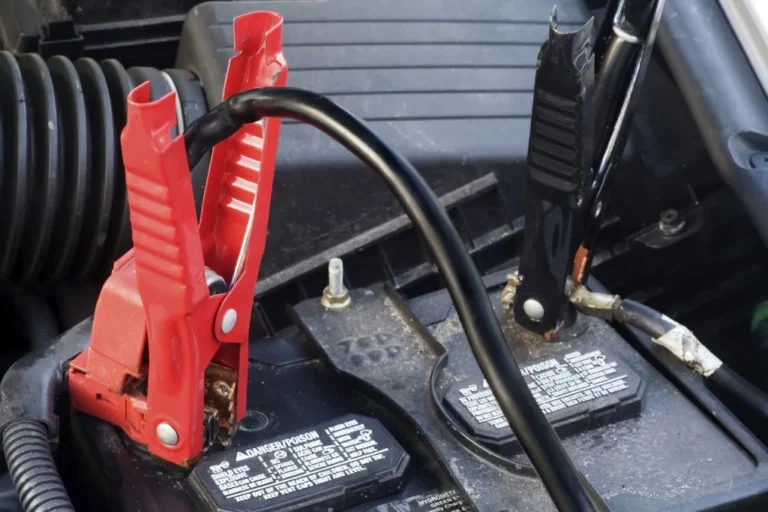
If your Tesla won't wake up, the door handles won't present, and the screen looks like a flat black mirror, you probably searched for how to jump start a Tesla expecting a video of red jumper cables hooked to a big engine. Here's the curveball: there's no engine, and the real fix isn't the high-voltage pack most people think of. It's a tiny 12-volt battery doing all the behind-the-scenes work, and it's the one that almost always dies first.
Tesla switched its older cars to a conventional 12V lead-acid auxiliary battery, but as of 2026 most models (Model 3, Model Y, refreshed Model S/X, and Cybertruck for low-voltage duties) use a lithium-ion 12V unit. Both types can be revived the same way: by feeding power to the correct jump terminals under the hood. That alone solves roughly 90% of "Tesla won't start" scenarios, so let's walk through exactly how to do it right.
Quick Answer
Yes, you can jump start a Tesla. Open the frunk, locate the red positive jump terminal and a chassis ground stud, connect a 12V jumper or jump pack, wait for the car to wake, then disconnect. Never connect to the orange high-voltage cables.
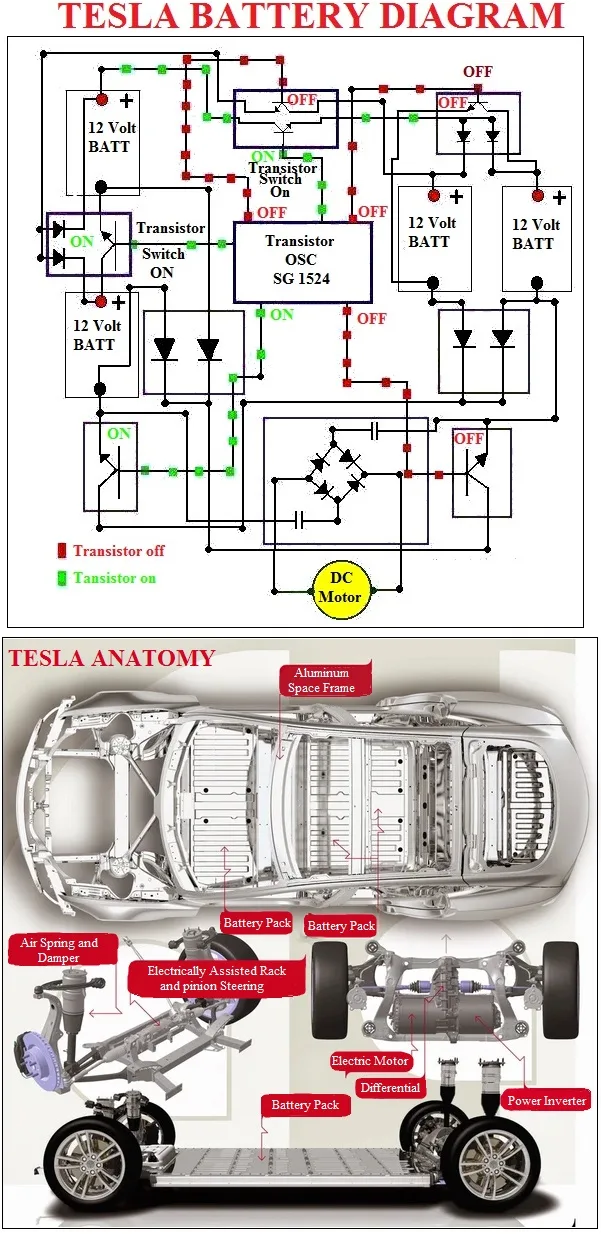
The 12V battery powers the computers that wake the main pack.
Why a Tesla Won't "Start" the Way a Gas Car Does
A gas car cranks an engine. A Tesla doesn't. What actually happens when you press the brake pedal is a chain reaction that starts with the 12V battery, not the big pack under the floor.
Here's the sequence Tesla's own owner's manuals walk through:
- The 12V battery powers the low-voltage computers, the screen, and the contactors.
- Those computers close the high-voltage contactors, which link the main traction pack to the drive units.
- The DC-DC converter then takes over and keeps the 12V system topped up while you drive.
If that 12V battery is dead, the chain never starts. The screen stays black. The car looks completely lifeless.
From the outside, it looks like "the Tesla won't start." In reality, the high-voltage pack might have plenty of energy left. It's the small battery that controls access to it.
This is why every "how to jump start a Tesla" guide you find online focuses on the 12V system, and why the orange high-voltage cables you see under the rear seat or in the battery pack are never the answer.
The Two Batteries Every Tesla Has (and Why It Matters)
Every Tesla (until the Cybertruck's fully redesigned 24V architecture, where the procedure shifts slightly) runs two separate battery systems. They have nothing to do with each other electrically, and confusing them is the single most common mistake people make.
| Battery | Voltage | Where It Lives | What It Powers |
|---|---|---|---|
| High-voltage traction pack | ~400V (800V on Cybertruck drive units) | Under the floor | Motors, charging, climate, DC-DC output |
| 12V auxiliary battery | 12V | Under the frunk liner or front cowl panel | Lights, screen, computers, door handles, contactors |
The high-voltage pack is the one that gives the car its range. The 12V battery is the one that decides whether the car wakes up at all. When someone asks "how to jump start a Tesla," they almost always need help with the second one, because the first one cannot be jumped with a normal 12V jumper pack.
It's the wrong voltage, and touching those terminals without proper training can be lethal.
There's also a third category worth knowing: many newer 2023+ Model 3 and Model Y vehicles ship with a lithium-ion 12V battery, not the older absorbed-glass-mat (AGM) lead-acid unit. The jump procedure is identical. The lifespan is longer, often 6 to 8 years versus the typical 3 to 5 for lead-acid.
Both can be revived with a standard 12V jump pack rated for at least 1,000 peak amps.
Which Tesla You Drive Changes Everything
Tesla has never published one universal procedure. The general idea is the same across the lineup, but the access points and the exact location of the jump terminals shift by model. If you're following a guide and it doesn't match your car, stop and check the manual before connecting anything.
Here's the quick breakdown:
- Model 3 and Model Y (2017 to 2023): Positive jump terminal is a red cover under the frunk liner, driver-side. Ground stud is nearby on the chassis.
- Refreshed Model 3 "Highland" (2024+): Same layout, but the 12V is now a lithium-ion unit. Procedure is unchanged.
- Model S (2012 to 2020) and Model X (2015 to 2020): 12V is in the front trunk cowl area, accessible after removing the small panel near the windshield.
- Model S Plaid and refreshed Model S/X (2022+): 12V moved to the driver-side front wheel well liner, accessed through the wheel well flap or frunk side panel.
- Cybertruck: Uses a 48V-to-12V DC-DC system rather than a traditional jumpable 12V. You can't jump it the classic way. Call Tesla roadside.
If you drive anything other than a Cybertruck, the rest of this guide applies to you. If you drive a Cybertruck with a no-start condition, the Tesla Support contact page is your first call, because the low-voltage system is genuinely different and not user-serviceable in the traditional sense.
Quick Answer: The Shortest Path Back to a Working Car
If you've already identified the problem and just want the procedure without the deep dive, here's the bare-bones version for Model 3 and Model Y. The other models follow the same logic with slightly different access points.
- Open the frunk. Use the Tesla app if the 12V is too dead to release the latch. On older Model S/X, there's a manual pull cable under the nose cone.
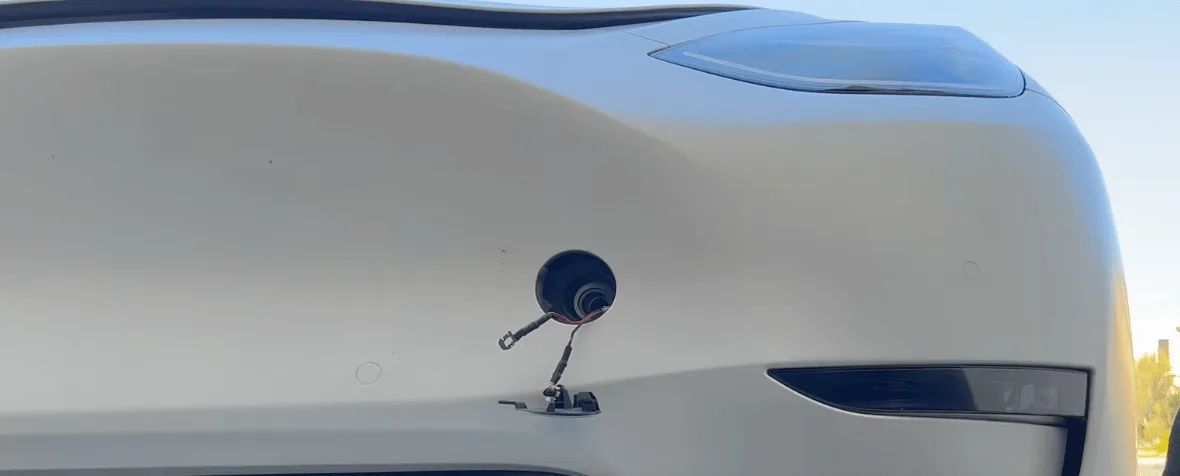
- Pull back the frunk liner on the driver side to expose the red positive jump terminal cover. Pop the cover.
- Connect the positive (red) clamp of your jump pack or donor 12V source to the red terminal.
- Connect the negative (black) clamp to a bare metal chassis ground stud nearby. Never the negative battery post.
- Turn on the jump pack. Wait 1 to 3 minutes. Watch for the Tesla screen to wake up.
- Press the brake pedal to close the high-voltage contactors. You'll hear a soft click and the dash will fully illuminate.
- Disconnect the negative clamp first, then the positive. Reinstall the red cover.
- Drive the car for at least 20 to 30 minutes so the DC-DC converter can recharge the 12V battery.
If the screen stays black after 5 minutes with a healthy jump pack connected, the 12V battery is likely past recovery and needs replacement. Tesla's mobile service can swap it at your location, usually in under an hour.
That's the shortest path. But because "shortest" and "safest" aren't always the same thing, the long version is below.
Step-by-Step: How to Jump Start a Tesla Model 3 or Model Y
This is the most common scenario, so it gets the deepest walkthrough. The Model 3 and Model Y share almost the same layout, and together they account for the majority of jump-start questions we see.
Before You Connect Anything
You'll want a few things ready before you pop the frunk. None of them are exotic.
- A 12V jump pack rated for at least 1,000 peak amps, or another 12V donor vehicle with the engine off.
- A clean rag to wipe the terminals.
- Insulated gloves if you have them (optional but smart).
- Your Tesla key card or phone app logged in, since you may need to authenticate.
Why the engine must be off on a donor car: a running alternator can push voltage spikes above 15V, and that can toast the DC-DC converter in a Tesla. Aggregate reports from Tesla service techs confirm this is one of the top causes of expensive 12V-related repairs. So if you're jumping from a gas car, leave it turned off and just use its 12V battery as a donor.
Opening the Frunk When the 12V Is Completely Dead
If the 12V is too flat to release the frunk latch, you've got two options:
- Use the Tesla app. The frunk release in the app sends a low-power signal that can sometimes wake the 12V enough to actuate the motor. It works more often than people expect.
- Use the manual release cable. On Model 3/Y, there's a small access panel near the passenger-side headlight that exposes a pull cable. Pulling it manually releases the frunk latch mechanically.
Once the frunk is open, the rest of the procedure is the same as a normal jump.
Making the Connections
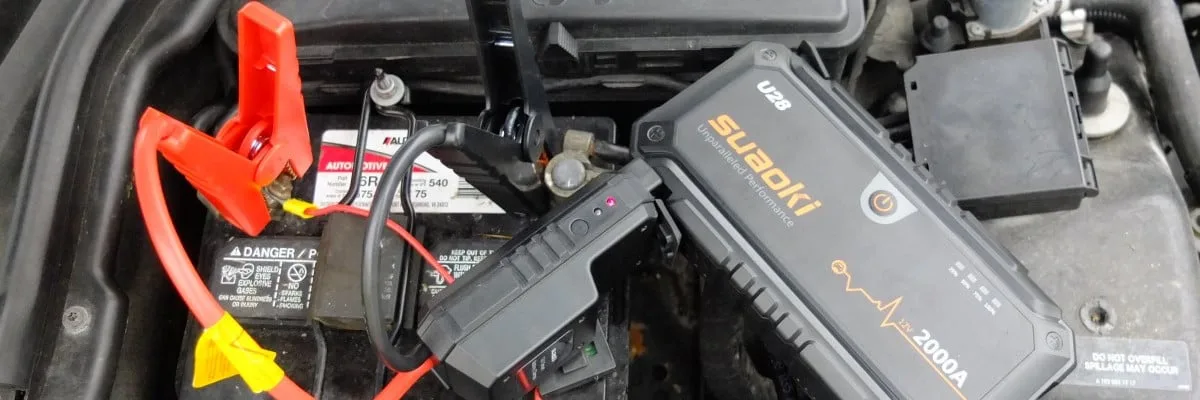
Pop the red plastic cover on the positive jump terminal under the driver-side frunk liner. Attach your positive (red) clamp here. Then look for a bare metal stud or bolt on the chassis nearby for the negative clamp.
Don't clamp to the negative battery post directly if you can avoid it; the chassis ground is safer and reduces spark risk near any battery off-gassing.
Now turn on the jump pack. Most modern lithium jump packs have a "force on" or "boost" mode that delivers a brief higher-amp pulse to wake a dead battery. If yours has one, use it.
Waiting for the Car to Wake
This is the part where people get impatient. Don't. Tesla's computers run a self-check sequence before fully powering the dashboard.
Give it at least 1 to 3 minutes. You'll see:
- The center display flickers on.
- The hazard lights may blink once.
- A faint click from the front of the car (the contactors engaging once the HV pack is reachable).
If nothing happens after 5 minutes, double-check your clamps. A loose ground is the most common reason a jump "doesn't take."
Powering Up the High-Voltage System
Once the screen is up, press the brake pedal firmly. This sends the command to close the high-voltage contactors and connect the main traction pack to the drive units. If the HV pack has charge, you'll see the dashboard fully illuminate and the car will be ready to drive.
If the HV pack is also dead (below roughly 5% state of charge), the car will wake but won't drive. You'll need to plug it in to recover. Tesla's mobile connector or any Level 1/Level 2 charger will work.
Supercharging is faster but only available once the pack has enough charge to start accepting it.
Disconnecting Safely
Reverse order: negative clamp first, then positive. Replace the red plastic cover on the jump terminal. Close the frunk.
Now drive, don't just idle, for at least 20 to 30 minutes to let the DC-DC converter replenish the auxiliary battery. A short 5-minute drive isn't enough. The 12V needs sustained driving time to recover from a deep discharge.
Locating the Tesla 12V Jump Points (Visual Reference Guide)
Where the 12V terminals live depends on the model year, but the visual cues are the same across the lineup. Look for a small red plastic cover near the front of the car, usually driver-side, and a clean chassis ground stud nearby.
| Model | Positive Terminal Location | Ground Point |
|---|---|---|
| Model 3 (2017 to 2023) | Under frunk liner, driver-side, red plastic cover | Chassis stud near strut tower |
| Model Y (2020 to 2024) | Same as Model 3, driver-side | Chassis stud near strut tower |
| Refreshed Model 3 "Highland" (2024+) | Same layout, lithium 12V | Chassis stud near strut tower |
| Model S (2012 to 2020) | Under front cowl panel near windshield | Chassis stud on strut tower |
| Model X (2015 to 2020) | Under front cowl panel near windshield | Chassis stud on strut tower |
| Refreshed Model S/X (2022+) | Driver-side front wheel well liner | Chassis stud behind liner |
| Cybertruck | No traditional 12V jump points | Contact Tesla roadside |
If the red cover is missing or broken, the bare metal terminal underneath is still safe to use as a positive connection point. The red color is just a visual cue, not a functional requirement.
What NOT to Do: Jump Starting Mistakes That Can Damage Your Tesla
Most 12V-related Tesla repairs our research has identified trace back to a handful of common mistakes. Avoid these and you avoid most of the risk.
- Never clamp to the orange high-voltage cables. They're the traction battery. Touching them without training can be fatal, and they won't accept a 12V jump anyway.
- Don't use a running donor vehicle. A running alternator pushes 14 to 15V with voltage spikes. That can fry the DC-DC converter.
- Don't reverse polarity. Red to ground and black to positive will blow fuses instantly. Check your clamps twice before turning on the jump pack.
- Don't clamp the negative to the negative battery post directly. Use a chassis ground stud. Lead-acid off-gassing near a spark isn't worth the risk.
- Don't skip the post-jump drive. A short idle won't recharge the 12V. You need 20 to 30 minutes of driving.
- Don't keep trying if the car won't wake after 5 minutes. A dead 12V past recovery won't revive with repeated attempts. Call Tesla roadside for a replacement.
Jumping From a Jump Pack vs. Another Car vs. EV-to-EV
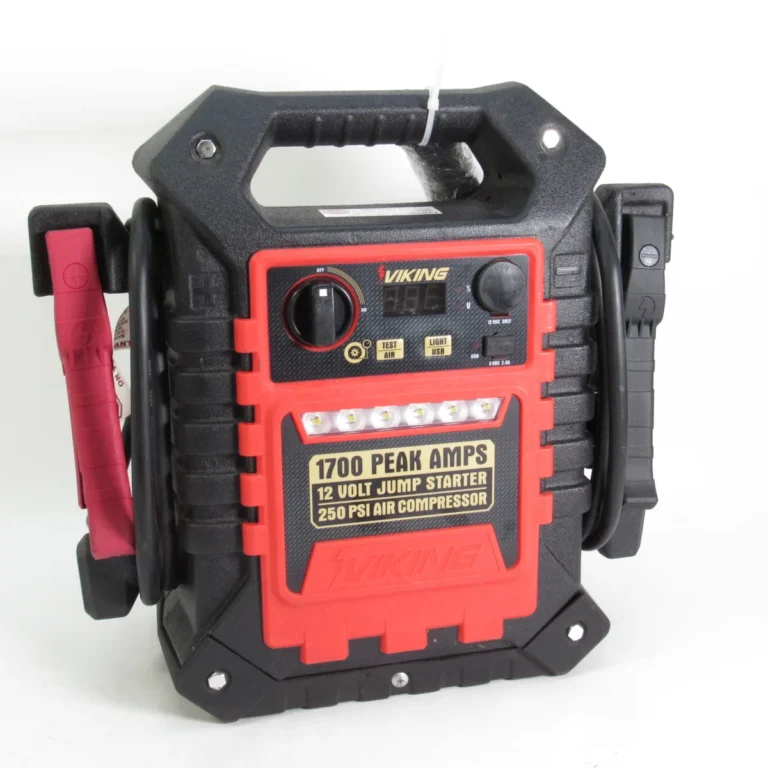
The fastest and safest option is almost always a lithium jump pack. They're small enough to live in your frunk, they deliver clean 12V power, and there's no donor vehicle to coordinate with. Look for one rated at 1,000 peak amps or higher, with a "force mode" or "boost" button for deeply discharged batteries.
A gas car is fine if the engine stays off. Just treat its 12V system as the donor. Make sure the donor battery isn't visibly damaged or leaking, and confirm voltage is in the 12.4 to 12.7V range with a multimeter if you have one.
EV-to-EV jumping is the cleanest method when it's available. No engine vibration, no alternator noise, just a stable 12V supply. The same rules apply: positive to the Tesla's positive terminal, negative to chassis ground, donor vehicle off or in accessory mode.
| Source | Best For | Watch Out For |
|---|---|---|
| Lithium jump pack | Single-driver, roadside emergencies | Cold-weather capacity loss |
| Gas car (engine off) | Home garage, longer recovery sessions | Voltage spikes if engine starts |
| Another EV | Fleet lots, enthusiast meetups | Match terminal polarity carefully |
After the Jump: How to Reset, Recalibrate, and Recharge
Once the car is awake and the HV pack is engaged, you're not quite done. A few post-jump steps save you from coming back tomorrow with the same dead battery.
Drive the car for at least 20 to 30 minutes without stopping. Highway driving is ideal because the DC-DC converter runs harder at speed. Local stop-and-go traffic also works, but plan for longer.
After driving, check the 12V battery health in the Tesla service menu. On Model 3 and Model Y, tap Controls, then Service, then tap and hold the Tesla "T" at the top to reveal the service panel. Look for "12V battery" health.
A healthy lithium 12V should read above 13V with the car in accessory mode. Lead-acid should hold above 12.4V after a full recharge.
If the 12V health drops below 12.0V within a day or two, the battery is past recovery and needs replacement. Tesla mobile service can swap it at your home or office, usually in 30 to 60 minutes. Replacement cost runs roughly $80 to $200 for the part plus labor, depending on model and region.
As of 2026, lithium 12V replacements cost slightly more but last nearly twice as long.
If your windows stopped auto-presenting or the charge port door is acting up after the jump, the car usually recalibrates these within one drive cycle. No manual reset is needed.
How Long a Tesla 12V Battery Actually Lasts (and When to Replace It)
Battery lifespan depends on chemistry, climate, and use pattern. Here's what owners and service data tend to show.
| Battery Type | Typical Lifespan | Replacement Cost Range | Common Failure Signs |
|---|---|---|---|
| Lead-acid (AGM) | 3 to 5 years | $80 to $150 | Random alerts, phantom drain, slow wake |
| Lithium-ion | 6 to 8 years | $150 to $250 | Occasional no-start, then sudden failure |
Cold climates shorten lead-acid life noticeably. A battery that would last five years in Arizona may only make it three in Minnesota. Lithium-ion handles cold better, though its peak cranking amps drop below freezing, which is why a dead 12V in winter still happens.
If your Tesla is more than four years old and the original lead-acid 12V is still in place, preventive replacement is cheaper than a roadside failure. Schedule it through the Tesla app, and mobile service will come to you.
The other lifespan clue is the 12V health reading in the service menu. Anything consistently below 12.2V under load means the battery is on its way out. Replace it before it strands you.
Step-by-Step: How to Jump Start a Tesla Model S or Model X
The Model S and Model X use the same 12V logic as the 3/Y, but the access points are tucked under different panels. The procedure itself is nearly identical: red to red, black to chassis, wait for the wake, drive for 20 to 30 minutes.
Pre-2016 Model S
Older Model S sedans have the 12V battery hidden under the front cowl panel near the windshield wipers. Pop the frunk, remove the plastic trim near the cowl, and look for the red positive cover on the driver-side. The chassis stud for the ground clamp is just behind the front suspension tower.
2016 to 2020 Model S and Model X
These use a similar layout, but Tesla added a secondary panel that has to come off first. There's a small T20 Torx screw on each side of the cowl trim. Remove both, lift the panel, and the 12V jump point is directly underneath.
Refreshed 2022+ Model S Plaid and Model X
The 12V moved to the driver-side front wheel well liner. From outside the car, turn the front wheel fully to the right. There's a small access flap in the wheel well liner.
Pull it, and the positive terminal is visible on a short harness. Connect there, ground to the strut bolt above, and you're set.
Manual Frunk Release on Model S/X
If the 12V is too dead to release the frunk motor, every Model S and Model X has a manual pull cable tucked behind the nose cone grille. Reach in through the grille opening near the Tesla emblem. Pull the cable toward you, and the frunk pops manually.
It's awkward the first time, but it works every time.
The jump procedure itself takes about five minutes once the terminals are exposed. Plan on another 20 minutes of road time after the wake so the DC-DC converter can replenish the 12V. Skip that step and you'll be back at the frunk in two days.
What About the Cybertruck and Model 3 Highland?
The Cybertruck runs a 48V low-voltage architecture with a DC-DC converter that steps down to 12V for accessories. There's no traditional 12V jump point. If the Cybertruck won't wake, the Tesla Support page lists the dedicated Cybertruck roadside number, which routes you to technicians with the right portable booster packs designed for the 48V system.
The refreshed Model 3 "Highland" (2024+) still uses a 12V lithium auxiliary battery, and the jump procedure is identical to the pre-Highland Model 3. The terminal location is the same, the red cover is the same, the chassis ground is the same. The only difference owners report is longer 12V lifespan, often seven or more years versus the three to five on older lead-acid units.
If you drive either of these and you're not sure which generation you have, check the build date on the driver-side door jamb. Anything built before late 2023 is the original Model 3. Anything built after Q1 2024 is likely Highland, and the frunk label will usually show a lithium 12V sticker.
Opening the Frunk or Doors When the 12V Is Completely Dead
A completely dead 12V makes everything harder because the door handles won't present. You can't get in, and you can't get to the frunk. Here's the recovery order.
Step 1: Try the Tesla App
The app's lock/unlock command sends a low-power wake signal over the cellular connection. It can't start the car, but it can sometimes wake the 12V just enough to release the door handles. Hold the unlock button for three seconds.
If the handles present, the 12V has enough residual charge to proceed.
Step 2: Use the Key Card
If the app doesn't work, tap the key card on the B-pillar reader. The card reader draws power directly from the 12V, so a fully dead battery won't respond either. Try anyway, since some 12V batteries have just enough residual charge to power the card reader briefly.
Step 3: Use the Mechanical Release
If the doors won't open, climb into the frunk area. On Model 3/Y, there's a small access panel near the passenger-side headlight. Pry it open and pull the manual frunk release cable.
On Model S/X, reach through the grille for the pull cable behind the nose cone. On the refreshed 2022+ Model S, there's a hidden pull ring near the tow hook cover.
Once the frunk is open, follow the standard jump procedure above. Most owners who hit this scenario are back on the road in under 20 minutes from the time they start troubleshooting.
Step 4: If Nothing Works
Call Tesla roadside. They'll bring a portable 12V booster or a mobile technician who can open the car without damaging anything. Forcing entry risks breaking the aluminum door handles or cracking the trim panels, and the repair bill often runs more than $500.
When It's Not a 12V Problem: The HV Pack Is Too Low
Sometimes the dashboard wakes up, the screen turns on, but pressing the brake does nothing. The car refuses to engage drive. That is almost always a high-voltage pack that's dropped below the minimum state of charge to safely close the contactors, usually around 5% to 10%.
Tesla protects the traction pack by refusing to drive if it's too depleted to support regen and acceleration safely. So if you're under that threshold, the fix isn't 12V power. It's plugging in.
A standard 120V outlet adds roughly 3 to 4 miles of range per hour. A Level 2 wall connector adds 25 to 40 miles per hour depending on amperage. Supercharging is fastest once the pack has enough charge to start accepting it, often 5% or more.
If the pack is so low it won't even charge, call Tesla roadside. They have portable DC chargers designed for this exact scenario, and they can usually get the car awake without a flatbed.
Tesla Roadside Assistance vs. Mobile Service vs. DIY Jump
Knowing who to call when can be the difference between a 30-minute delay and a full-day tow.
| Option | Best For | Typical Response | Cost |
|---|---|---|---|
| DIY jump pack | Anywhere, anytime | Immediate | $0 (assuming you own a pack) |
| Tesla Roadside Assistance | Warranty-covered failures, HV pack low | 30 min to 2 hours | Free under Tesla Service plan |
| Tesla Mobile Service | Scheduled 12V replacement, diagnostics | Same day or next day | Part cost plus labor |
| Flatbed tow | Bricked car with no HV contact | 1 to 4 hours | Often free if warranty issue |
If your Tesla is still under the basic warranty (4 years or 50,000 miles), 12V failures and roadside jump starts are covered. Out of warranty, Tesla roadside still works, but there's a per-call fee that varies by region.
For most owners, the smart play is keeping a small lithium jump pack in the frunk. It pays for itself the first time the 12V dies at an airport parking lot or after a long vacation.
Cold Weather, Long Vacations, and Other Common Dead-Battery Scenarios
Cold snaps, multi-week airport storage, and short-trip-only driving are the three patterns that kill a Tesla 12V most often. A lead-acid battery loses about 35% of its cranking power at 0°F. Lithium loses less, yet both can dip below the wake threshold on a freezing morning.
Long parking stretches drain the 12V because it self-discharges slowly even when the HV pack is full. The fix in each case is preventing the discharge before you walk away. A $20 12V maintainer plugged in during long storage is the cheapest insurance you'll ever buy.
Safety Rules Every Tesla Owner Should Memorize
Orange cables are live, lead-acid batteries off-gas hydrogen, and a running donor alternator can spike above safe voltage. Treat the high-voltage system as off-limits unless you're a certified technician. Never smoke or spark near a lead-acid 12V.
Disconnect the negative clamp first when removing the jump, and reconnect it last when installing. Keep the red plastic cover on the positive terminal when not jumping, because it's there for a reason. If the 12V is visibly swollen, cracked, or leaking, don't jump it; call for service instead.
Insulated gloves are optional for 12V work, recommended near HV areas. Memorize those three rules and you'll avoid the dangerous 1% of jump-start situations.
Frequently Asked Questions
Can you jump start a Tesla from another car?
Yes, with the donor engine turned off. Connect positive to positive, negative to chassis ground, and let the Tesla wake. A running alternator can push voltage spikes that may damage the Tesla's DC-DC converter, so keep the donor off during the jump.
Can you jump start a Tesla with a regular jump pack?
Yes. A 12V lithium jump pack rated for at least 1,000 peak amps works on every Tesla with a traditional 12V battery. Use the boost mode if the pack has one, and connect to the red positive terminal plus a chassis ground stud.
Where is the 12V battery located in a Tesla Model 3?
Under the frunk liner on the driver-side. Lift the cargo liner, pop the red plastic cover, and you'll see the positive jump terminal. The 12V battery itself sits just behind that cover.
Will jumping a Tesla void the warranty?
No, as long as you follow Tesla's documented procedure and use 12V-rated equipment. Touching the high-voltage system, however, can void coverage and create serious safety hazards. Stay on the 12V side.
How long should I drive after a jump to recharge the 12V?
Plan on 20 to 30 minutes of continuous driving. Short trips won't recharge the 12V enough to start the car reliably the next morning. Highway driving is ideal because the DC-DC converter runs harder at speed.
What if my Tesla won't wake up after a jump?
The 12V battery is likely past recovery. Call Tesla Roadside Assistance for a mobile replacement. Most 12V swaps take 30 to 60 minutes and can be done at your location without a tow.
Final Recommendation: Your Decision Guide by Situation
The right path depends on where you are, what tools you have, and how dead the car really is.
If the 12V is dead but the HV pack has charge, a 12V jump pack is the fastest fix. Open the frunk, hit the red terminal, connect ground, wait for the wake, then drive.
If both the 12V and the HV pack are depleted, plug the car in first. The 12V won't matter until the pack has enough charge to close the contactors, and any Level 1 or Level 2 charger will do the job.
If the car is unresponsive and the frunk won't open, use the Tesla app or the manual pull cable, then proceed with the jump. If neither works, call Tesla roadside.
If you drive a Cybertruck, skip the DIY entirely. Its 48V-to-12V architecture doesn't accept a traditional 12V jump, and the service menu is the right call.
For everyone else, keep a lithium jump pack in the frunk. It weighs about three pounds, costs less than a single mobile-service visit, and solves the problem in under five minutes when it happens. That's the move.
A 12V jump pack turns the worst-case Tesla morning into a five-minute inconvenience, and it's the single best $80 to $120 you'll spend on the car. Keep it charged, check it every few months, and you'll never have to wait for a flatbed because of a dead 12V again. That's the whole job done.
A small jump pack, a clean chassis ground, and five minutes of patience. Everything else is paperwork.