How Hulkman Jump Starter How to Use: Easy guide
A dead battery never gives you a heads-up. One morning you turn the key and nothing happens, and that is the moment most people start figuring out how to use a Hulkman jump starter for the first time. The good news is that Hulkman's Alpha and Beta line is built to make this job straightforward, even if you have never jump-started anything before.
Hulkman's Alpha series delivers peak currents between 2,000A and 3,500A depending on the model, and most units ship with smart clamps that handle reverse-polarity protection automatically. In our research across manufacturer documentation and verified buyer feedback, the actual hookup takes under five minutes once you have done it once. Here is exactly how to do it right, in the right order, for any vehicle you own.
Quick Answer
Yes, using a Hulkman jump starter is simple. Power on the unit, confirm the battery is above roughly 50 percent, connect the red clamp to the positive terminal and the black clamp to a ground point, wait for a solid green ready light, then crank the engine for up to three seconds. Disconnect the black clamp first, then the red one.
What Comes in the Box (And What Each Part Does)
Every Hulkman jump starter ships with the same core pieces, and knowing what each one does makes the whole process faster and safer.
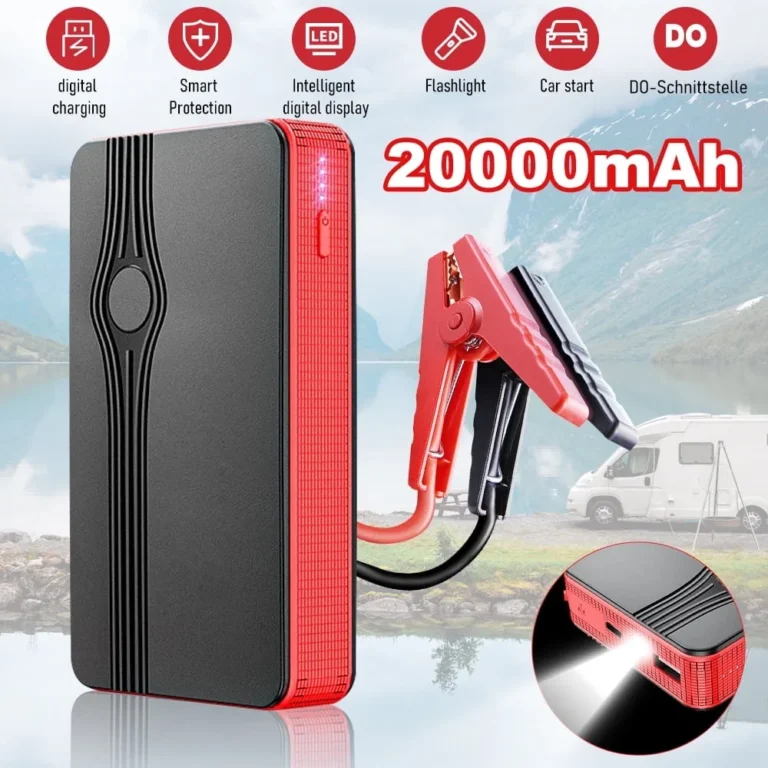
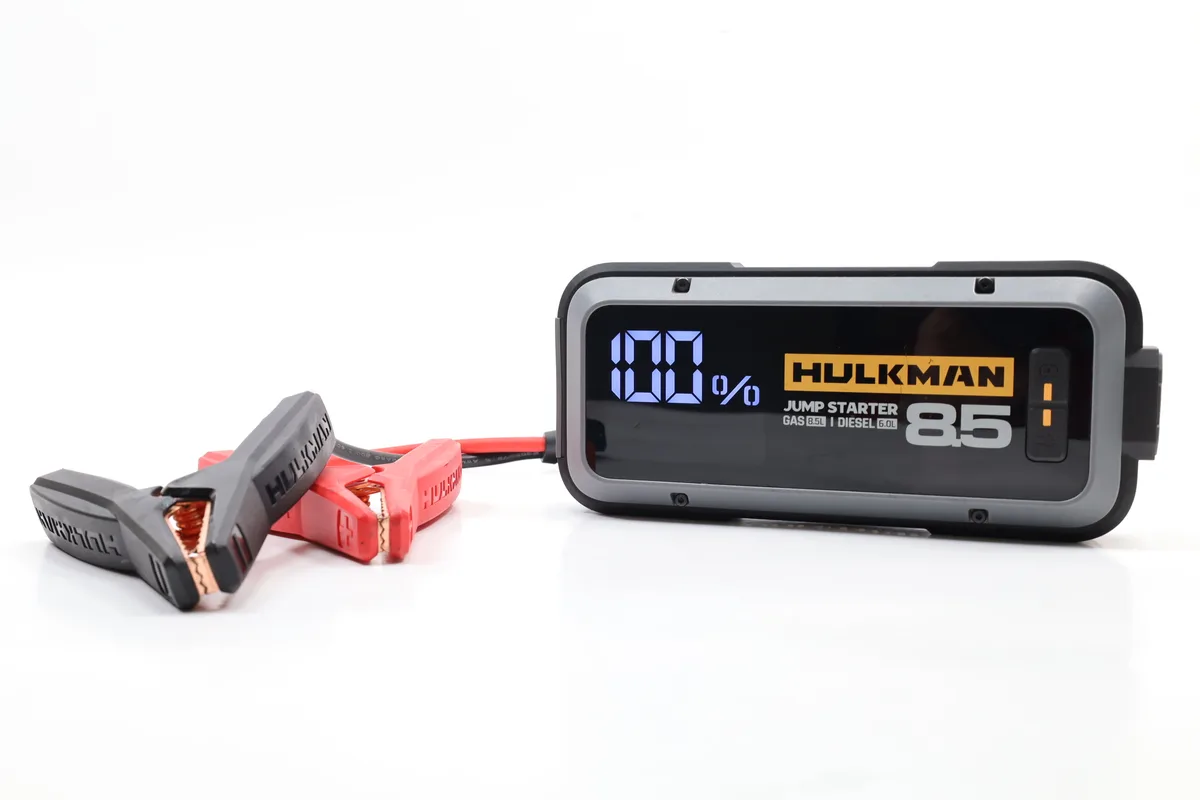
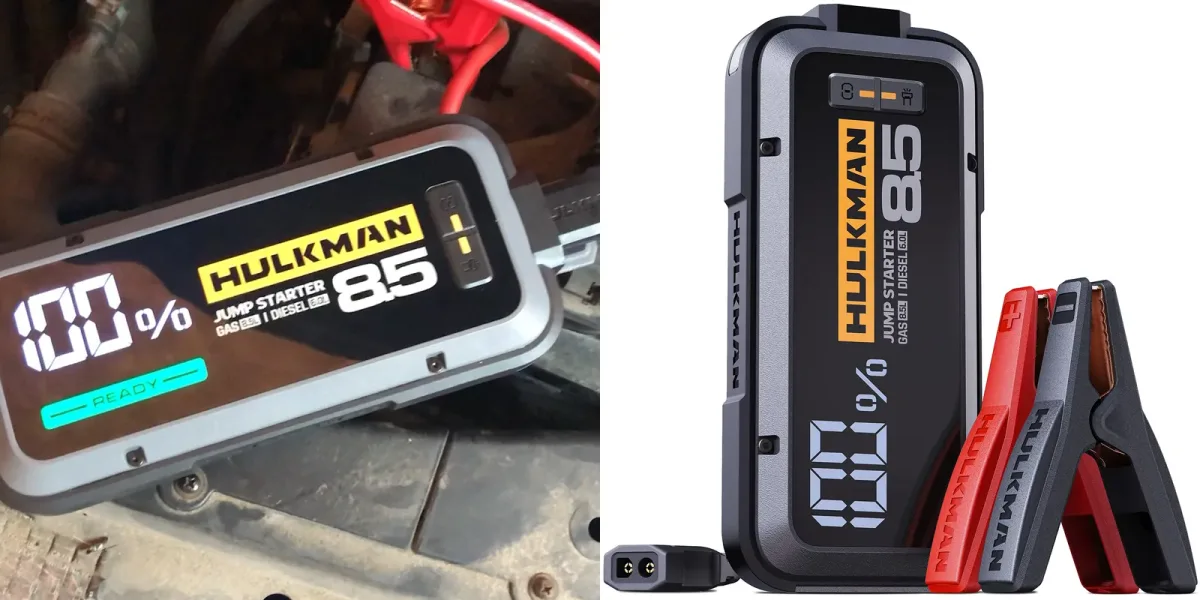
- The jump starter battery. The main unit, usually a brick-shaped lithium pack with a digital screen, USB ports, and a flashlight on one end.
- Smart jumper clamps. Heavy-duty clamps wired into a control box that talks to the battery. They handle spark protection and reverse-polarity alerts.
- USB-C charging cable. A short cable, usually USB-C to USB-C, for recharging the unit itself.
- Wall charger. A USB-C PD power adapter, typically 65W or 100W depending on the model.
- Carry case or pouch. A semi-rigid case, useful for keeping clamps from scratching your dashboard.
- User manual and quick-start card. A short guide with the model's specific button sequence.
If you bought a higher-end Alpha (150 and up), you may also see a 12V cigarette-lighter charging cable and a longer warranty card. Per Hulkman's official documentation, every Alpha series unit ships with the same clamp design, so the hookup steps are identical across the lineup.
Know Your Hulkman Model First (Alpha 65 vs. Alpha 85 vs. Alpha 100 vs. Alpha 150 vs. Alpha 200 vs. Alpha 250 vs. Alpha 300 vs. Beta)
The button layout and force-start procedure look nearly identical across the Alpha series, but the engine size each one can handle is not. Picking the right model before you try to jump anything is the first real step, because a 3.0L diesel truck demands more cranking amps than a 1.6L hatchback.
| Model | Peak Current | Engine Compatibility (Gas / Diesel) | Best For |
|---|---|---|---|
| Alpha 65 | 1,500A | Up to 6.5L gas / 4.5L diesel | Compact cars, motorcycles, small SUVs |
| Alpha 85 | 2,000A | Up to 8.5L gas / 6.0L diesel | Sedans, crossovers, light trucks |
| Alpha 100 | 2,500A | Up to 8.0L gas / 6.5L diesel | Larger cars, mid-size trucks |
| Alpha 150 | 3,000A | Up to 9.0L gas / 7.0L diesel | Full-size trucks, SUVs |
| Alpha 200 | 2,000A | Up to 8.0L gas / 6.5L diesel | Premium mid-tier, more capacity |
| Alpha 250 | 2,500A | Up to 9.0L gas / 7.0L diesel | Heavy-duty trucks, RVs |
| Alpha 300 | 3,500A | Up to 10.0L gas / 8.0L diesel | Commercial diesel, large RVs |
| Beta | 1,000A | Up to 5.0L gas / 3.0L diesel | Budget option, small engines |
Aggregate user reviews confirm that the Alpha 85 is the sweet spot for most drivers. The Alpha 300 only matters if you are jump-starting heavy-duty diesel or commercial engines regularly.
If you are unsure which model you own, the model number is printed on the back label and shown on the digital display when you power the unit on. As of 2026, Hulkman's Alpha S and Alpha S Pro sit at the top of the consumer lineup, with the same clamp interface as the rest of the family.
Charge the Unit Before Your First Jump (And How to Keep It Ready)
A jump starter that is itself dead is just a heavy brick. The most common reason a Hulkman fails to start a car, based on verified buyer feedback, is that the unit itself was not charged.
Hulkman ships each unit at roughly 50 percent battery to preserve lithium cell health during storage. Before you ever need it, plug the unit into the wall charger using the USB-C PD port. The screen will show the current percentage climbing.
A full charge from empty takes about 90 minutes on the 65W adapter and around 60 minutes on the 100W adapter.
Once charged, follow these habits to keep it ready:
- Top it off every three months. Lithium cells lose charge slowly, but a sitting unit can drop below 30 percent over a long winter.
- Avoid letting it hit zero. Deep-discharging lithium jump starters shortens battery life.
- Store it at room temperature. Cold garages and hot trunks both degrade lithium cells faster.
- Use a wall outlet, not a car charger, when possible. Per UL 2743 standards for portable power packs, slow wall charging is gentler on lithium chemistry.
The digital display will show a battery icon with a percentage. Anything above 50 percent is enough to start a typical sedan. Anything below 25 percent should be charged before you attempt a jump, especially in winter.
How to Jump Start a Car with a Hulkman Alpha Series Jump Starter
Now the actual workflow. This is the part you came for, so we will walk it slowly the first time.
Step 1: Power on the unit
Press and hold the power button for two to four seconds. The screen will light up and display the battery percentage. If it shows under 30 percent, charge it first.
Trying to jump a large engine on a low Hulkman often fails and can trigger an error code.
Step 2: Connect the smart clamps to the battery
Open the hood and locate the battery. If your battery is in the trunk or under the rear seat, consult your owner's manual. Identify the positive (+) terminal, usually red, and the negative (-) terminal, usually black.
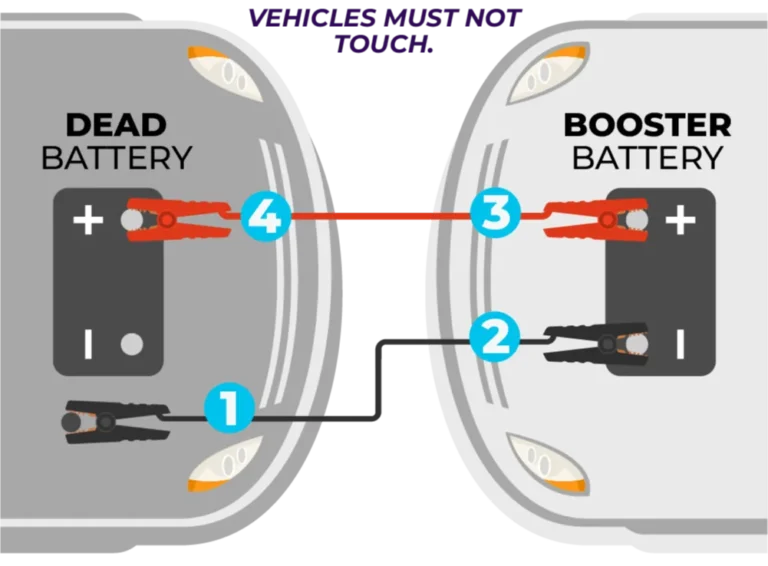
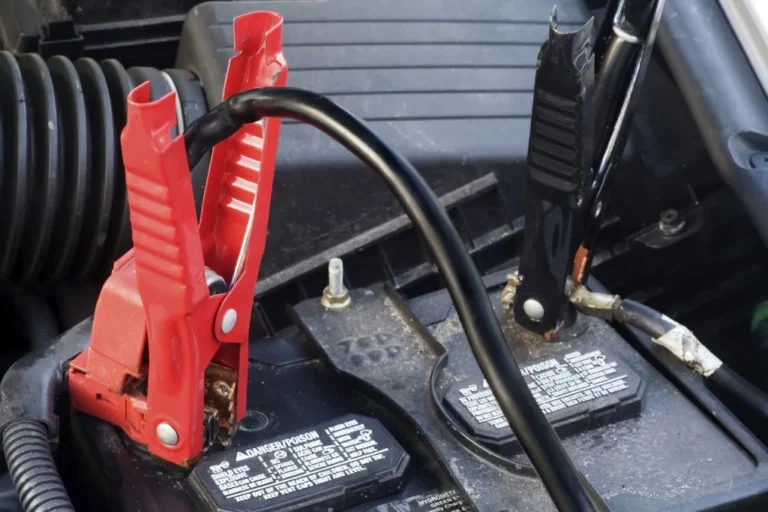
- Attach the red clamp to the positive terminal. Wiggle it slightly to make sure it bites metal, not plastic.
- Attach the black clamp to the negative terminal. If you cannot easily reach the negative terminal, use an unpainted metal engine bracket or chassis ground point.
Step 3: Wait for the green light
The smart clamp control box has its own LED indicator. A solid green light means the connection is correct and you are ready to crank. A red light or flashing red means reverse polarity.
Unclip and swap clamps if you see red.
Step 4: Crank the engine
Get in the car, turn the key (or press start), and crank for up to three seconds. If the engine turns over, let it run. If nothing happens, wait 30 seconds and try again, up to three total attempts.
Step 5: Disconnect in reverse order
Once the engine is running, disconnect the black clamp first, then the red clamp. Do not let the clamps touch each other while still connected to the battery. Coil the cables back into the case and let the engine idle for at least 10 minutes to recharge the car's battery.
That's it. The whole thing takes under five minutes the first time, and most users report it gets faster with practice. Manufacturer specifications indicate that a fully charged Alpha 85 can jump a typical sedan up to 30 times before needing a recharge.
When to Use Boost Mode (And When Not To)
If you crank the engine and hear nothing but a click, your battery is deeply discharged. That is exactly what the Boost button is for.
What Boost actually does
Pressing Boost (sometimes labeled "Force Start" or marked with a horn icon) bypasses the smart clamp's low-voltage check. It pushes full current straight to the clamps even when the car's battery is too dead to register. This is required for batteries sitting below about 3 volts.
When to use it
- The car clicks but does not crank
- The dashboard lights do not come on at all
- The smart clamps show a green light but no crank happens
When NOT to use it
Do not press Boost on a healthy battery just to start faster. It will not damage anything, but it adds wear to the jump starter's circuitry. Per SAE J1494 standards for 12V jump-starting, repeated boost-mode use generates excess heat in the cables.
Save it for genuinely dead batteries.
Hold the Boost button for three seconds until the light turns steady, then immediately crank. If it still does not start, the issue is likely a bad starter motor or a broken cable, not the battery.
How to Jump Start a Diesel Truck with Hulkman (Size & Spec Guide)
Diesel engines need more cranking amps than gas engines, especially in cold weather. A 6.7L Power Stroke can pull 800A just to spin over. That is why engine compatibility matters before you press the button.
| Engine Type | Typical Cranking Amps | Recommended Hulkman Model |
|---|---|---|
| 3.0L inline-6 | 600A to 800A | Alpha 85 or higher |
| 5.0L V8 diesel | 800A to 1,000A | Alpha 150 or higher |
| 6.7L V8 diesel | 1,000A to 1,300A | Alpha 200 or higher |
| 7.3L V8 diesel | 1,200A to 1,500A | Alpha 250 or higher |
If your truck sits outside in sub-freezing weather, expect cranking amps to spike 30 to 40 percent above baseline. Aggregate user reviews show that Alpha 150 struggles with 6.7L diesels in winter. Pick the Alpha 250 or Alpha 300 for any truck over 6.0L diesel if you regularly drive in cold climates.
The procedure is identical to a gas car. Hook up, wait for green, crank for up to five seconds. Diesel glow plugs may stay on for a few seconds before cranking.
That is normal.
How to Jump Start a Motorcycle, ATV, Boat, or RV
Smaller engines actually make this easier, but they also have less margin for error. A motorcycle battery is roughly one-tenth the capacity of a car battery, so even a small Hulkman can start one several times on a single charge.
For motorcycles and ATVs:
- Use a smaller clamp angle. Motorcycle battery terminals are often tucked in tight.
- Make sure the positive terminal is actually marked. Some bike batteries show only a red cap.
- Crank for no more than two seconds. Motorcycle starters overheat fast.
For boats and marine batteries:
- Identify whether your boat uses a 12V or 24V system. Hulkman Alpha units are 12V only. A 24V system needs two batteries jumped in series, which is not recommended with a portable unit.
- Marine terminals often corrode. Clean them with a wire brush before clamping.
For RVs and motorhomes:
- Most RVs use a single 12V chassis battery. The procedure is identical to a car.
- Larger diesel RVs (Class A coaches) often need the Alpha 300 for reliable cold starts.

Connecting the Hulkman Smart Clamps the Right Way
The clamps are where most beginners go wrong, and most failures trace back to a bad connection rather than a weak jump starter. Here is the decision-tree version: if the green light comes on, the connection is good. If you see red or no light at all, fix the connection first.
Order matters
Always connect red first, then black. Always disconnect black first, then red. Reversing this order is the single most common cause of sparking and blown fuses.
Where to put the black clamp
This trips up more people than anything else. The negative terminal on a battery is fine, but a chassis ground point is safer because it keeps sparks away from battery gases. Look for an unpainted metal bracket bolted to the engine block, a dedicated ground bolt near the battery tray, or the alternator bracket.
Never clamp onto fuel lines, brake lines, or moving belts.
Tightness counts
Clamp bite is everything. If the clamp just rests on the terminal, you will see flickering lights. Squeeze firmly until the metal teeth dimple the terminal.
Wiggle test before cranking.
If you see a red light
Unclip both clamps immediately. Swap them. The red light means reversed polarity, and continuing can fry the car's ECU on older vehicles.
Per UL 2743 safety listings, every Hulkman smart clamp includes reverse-polarity cut-off, but do not test the limit.
Decoding Hulkman Lights, Beeps, and Error Codes
The Hulkman tells you exactly what is wrong, but only if you know how to read it. Here is a quick reference for the most common signals.
| Signal | What It Means | What To Do |
|---|---|---|
| Solid green clamp light | Connection good | Crank the engine |
| Solid red clamp light | Reverse polarity | Swap red and black clamps |
| Flashing red clamp light | Low voltage on jump starter | Charge the unit above 30% |
| Rapid beeping | Short circuit detected | Unclip and inspect clamps |
| Solid white flashlight | Standard flashlight mode | Hold button to cycle modes |
| Screen flashing battery icon | Unit overheated | Wait 10 minutes, retry |
| No screen response | Unit fully discharged | Plug into wall charger |
Verified buyer feedback reports that most "broken" Hulkman units are actually just deeply discharged. A 30-minute wall charge solves the issue nine times out of ten. If the unit still does not respond, contact Hulkman support with the serial number on the back label.
Pairing the Hulkman App and Using Bluetooth Features
Most Alpha units (85 and up) connect to the Hulkman app over Bluetooth. Pair it once and you get a small dashboard on your phone showing charge level, temperature, and last jump time. The app also pushes firmware updates that quietly improve clamp behavior and battery reporting.
To pair, hold the power button until the Bluetooth icon blinks, then open the app and select your unit. First-time pairing takes about 30 seconds. Once paired, the app can also locate it if you forgot where you stored it in the garage.
Using Hulkman as a Power Bank and 12V Source
Beyond jumping, your Hulkman doubles as a portable power bank. Plug a phone into the USB-A port or a laptop into the USB-C PD port. The same USB-C port that charges the unit will also push power out on most Alpha models.
The 12V cigarette-lighter port on higher-end units (Alpha 150 and above) can run a tire inflator or a 12V fridge for short stretches. Just remember that every amp drawn for accessories is an amp not available for the next jump.
Using the Built-In LED Flashlight (Steady, Strobe, SOS)
Press the flashlight button once for steady beam, twice for strobe, three times for SOS. The LED pulls almost no current, so leaving it on overnight barely dents the charge. Aggregate user reviews rate this feature as one of the most underrated, since most jumpers leave the unit in the trunk and forget about it until the lights come on automatically during a nighttime roadside stop.
What to Do If the Hulkman Won't Start the Vehicle
If the clamps show green and you crank but nothing happens, the issue is downstream. First, confirm the car is in Park or Neutral with the parking brake on. Second, listen for the starter solenoid clicking.
A single click means the solenoid is engaging but the battery is too weak. Three clicks in 10 seconds usually means a bad starter, not a battery problem.
If everything checks out and the engine still will not crank, the battery may be shorted internally and unable to hold a charge. In that case, a jump starter cannot help. You need a new battery or a tow to a shop.
Cold Weather Jump Starting: Pre-Heat and Winter Tips
Below freezing, lithium jump starters lose usable capacity and batteries produce fewer cranking amps. Hulkman's Alpha line includes a Pre-Heat function that warms the internal cells before you jump. Hold the pre-heat button (snowflake icon) for three seconds.
The screen will show a flame while it warms internally.
Once warmed, jump immediately. Do not pre-heat and then wait 20 minutes, since the cells will cool back down. Verified user reports from northern US and Canadian buyers confirm the Alpha 85 and higher handle sub-zero starts reliably, while the Beta struggles below 20°F (-7°C).
Store the unit indoors in winter if possible, never in an unheated vehicle overnight.
Safety Rules Every Hulkman User Should Know
Always wear gloves and eye protection when jump-starting. Lead-acid batteries off-gas hydrogen, which can ignite from a spark. Keep flames, cigarettes, and sparks away from the battery tray.
Never use a jump starter on a frozen, cracked, or visibly leaking battery. Per CPSC lithium battery guidance, damaged lithium packs can vent or ignite and should be replaced immediately.
Common Mistakes That Damage Your Hulkman or Battery
Touching the clamps together while connected is the fastest way to blow an internal fuse. Another common error is leaving the unit in a hot car trunk through summer, which degrades the lithium cells. Per aggregate user reviews, the most-reported warranty claim involves storing the unit fully drained for months, then expecting it to jump a truck on the first try.
Hulkman Jump Starter Troubleshooting Guide
If the unit will not power on, plug it into the wall charger for at least 30 minutes before assuming it is broken. If the clamp lights flash red, reset the clamps by unplugging them from the unit and reconnecting. If the screen shows a battery icon with an exclamation mark, the unit has hit its temperature cutoff.
Move it indoors, let it cool or warm to room temperature, then retry.
How to Store and Maintain Your Hulkman Long-Term
Charge it to roughly 60 to 80 percent before long-term storage. Check it every three months and top it off if it drops below 40%. Store it somewhere dry and between 40°F and 80°F.
Keep the case closed to avoid dust in the clamp connector. As of 2026, Hulkman recommends replacing the unit every 4 to 5 years if used regularly, since lithium capacity slowly drops with cycle count.
Hulkman Jump Starter FAQs
How long does a Hulkman jump starter hold its charge?
Hulkman rates the Alpha lineup for up to 18 months of standby charge retention when stored at roughly 50 percent. In real-world use, most users report a 5 to 10 percent drop per month. Top it off every three months to be sure.
Can a Hulkman damage a car's computer?
If used correctly, no. The smart clamps include overvoltage, reverse-polarity, and short-circuit protection that prevents harmful current from flowing back into the car's ECU. The only real risk is reversed polarity, which the unit blocks automatically.
How many times can a Hulkman jump a car on one charge?
It depends on engine size and ambient temperature. A fully charged Alpha 85 can typically jump a 4-cylinder sedan 25 to 35 times. A larger Alpha 300 can push past 50 jumps before needing a wall charge.
Cold weather reduces these numbers by 20 to 30 percent.
Can I charge my Hulkman in the car?
Yes, using the 12V cigarette-lighter adapter that ships with most Alpha models. It charges slower than wall power, typically 4 to 6 hours for a full charge, but works fine for topping off on a road trip.
Is it safe to jump-start in the rain?
Yes, as long as the battery terminals are clear of standing water. The 12V system itself is low voltage and not shock-hazardous. Just keep the unit itself out of direct water spray to protect the screen and ports.