How Cen Tech 630 Jump Starter How to Charge: Easy guide
If you're trying to figure out how to charge a Cen-Tech 630 jump starter, you've probably already noticed the box doesn't include a wall plug. That trips up almost everyone. The 630 charges off a 12V DC source, which means your car's accessory outlet is the most common method.
The unit uses a sealed lead-acid battery, generally rated around 12 to 18 Ah, and the manual calls for a full initial top-off before first use. As of 2026, Harbor Freight still ships the 630 without an AC adapter, so owners either use a 12V outlet, an aftermarket wall charger, or a jump-start cycle. Below we'll walk through which method fits your situation and what to skip.

Quick Answer
Charge a Cen-Tech 630 by plugging it into a running vehicle's 12V DC outlet for 4 to 8 hours. The unit does not come with an AC wall adapter. Use a compatible 12V charger if you need wall power.
Recharge every 30 to 60 days in storage.
What Kind of Cen-Tech 630 You Actually Have (It Changes Everything)
Before you plug anything in, figure out exactly which 630 you own. Harbor Freight has sold several variants under the same 630 model number over the years, and the charging method that works on one can confuse the next.
Here's the quick branching logic:
- If your 630 has a round 12V DC input barrel jack (most common), charge it from any 12V source.
- If your 630 has a USB-C input only (newer runs), use a USB-C cable and a 5V/2A wall brick.
- If your 630 is the older 62343 sibling in a similar black and yellow case, the same 12V method applies, but the indicator behaves slightly differently.
The reason this matters: aggregate owner feedback shows that the single biggest "it won't charge" complaint comes from people trying to feed a barrel-jack unit through a USB-C cable, or vice versa. Look at the input port before you do anything else.
If the unit has sat unused for months, it may be sulfated. More on that below.
The Quick Answer: Charging the Cen-Tech 630 in 30 Seconds
If you just need the shortest possible answer: start your car, plug the Cen-Tech 630's 12V DC cord into the accessory outlet (cigarette lighter socket), and let it charge while the engine runs.
A top-off from partial charge takes about 4 to 8 hours. A full first-time charge from a deeply depleted state can run 24 to 48 hours on low current.
The reason it takes that long: the 12V outlet in most vehicles is fused at 10A, and the Cen-Tech's internal charge circuit pulls well below that. Slow and steady is the design, not a flaw.
Don't try to "fast charge" it by jumping the clamps to a running battery. You can damage the internal cells and void any remaining warranty coverage.
Why the Cen-Tech 630 Doesn't Come With a Wall Plug (and What to Use Instead)
This is the question that sends most buyers to Google in the first place, so let's clear it up.
Harbor Freight's longstanding design choice is to keep the 630 price low by skipping the AC wall adapter. The unit ships with the 12V DC car cord only. If you want wall-outlet charging, you're buying the wall adapter as a separate accessory.
What works:
- A 12V regulated adapter rated between 1A and 2A output, with a barrel plug matching the 630's input
- Any automotive battery maintainer set to 12V and low amperage
- A compatible Cen-Tech branded charger if Harbor Freight currently stocks it in your store
What to avoid:
- Anything pushing more than 15V (laptop-style adapters, even with step-down claims)
- Unregulated "wall wart" transformers (these can drift up to 18V under no load and cook the SLA cell)
- Random 5V phone chargers (these don't put out enough voltage to top off an SLA)
A quick visual on what a regulated 12V SLA charger looks like: it's a small brick, often black, with a barrel tip on one side and a wall plug on the other, usually labeled "12V 1A" or similar on the case.
Per OSHA battery safety guidance, charging should happen in a ventilated area away from ignition sources.
Three Real Ways to Charge a Cen-Tech 630
There are three viable charging paths. Pick the one that matches your situation.
Charging Through Your Car's 12V Outlet
This is the standard method and the one the manual leads with.
- Start the vehicle's engine so the alternator supplies stable voltage.
- Plug the Cen-Tech 630's DC cord into the 12V accessory socket.
- Confirm the LED indicator on the unit shows a charging light (usually red or flashing).
- Let it run 4 to 8 hours for a top-off, or up to 48 hours for a deeply depleted unit.
- Unplug, switch off the vehicle, and store the unit.
A running engine holds the system around 13.8 to 14.4V, which is exactly what a sealed lead-acid battery wants for absorption charging.

Jump-Starting a Vehicle to Feed the Unit
This sounds backward, but it works in an emergency.
Hook the 630 up to a healthy car battery (positive to positive, negative to a ground point), let the cells equalize for 10 to 15 minutes, then disconnect. The 630 will have absorbed enough juice to start another vehicle.
Use this only when no other option exists. It's a quick top-off, not a full charge.
Using an Aftermarket AC Wall Adapter
If you regularly charge indoors, a wall adapter is worth the $10 to $15.
Look for a regulated 12V DC output, 1A to 2A, with a barrel plug matching the 630's input jack. Plug it into a standard 110V outlet, connect to the unit, and let it run until the LED indicator hits the green or full mark.
| Method | Best For | Typical Time | Tools Needed |
|---|---|---|---|
| 12V vehicle outlet | Owners with a daily driver | 4 to 8 hours top-off | DC car cord (included) |
| Jump-start equalization | Emergencies only | 10 to 15 minutes | Jumper clamps |
| AC wall adapter | Indoor, long-term maintenance | 8 to 24 hours | Aftermarket 12V adapter |
The Cen-Tech 630 typically lacks built-in overcharge protection on the AC path. Match an SLA-compatible charger and unplug at full to avoid cell damage.
How to Tell If Your Cen-Tech 630 Is Actually Charged
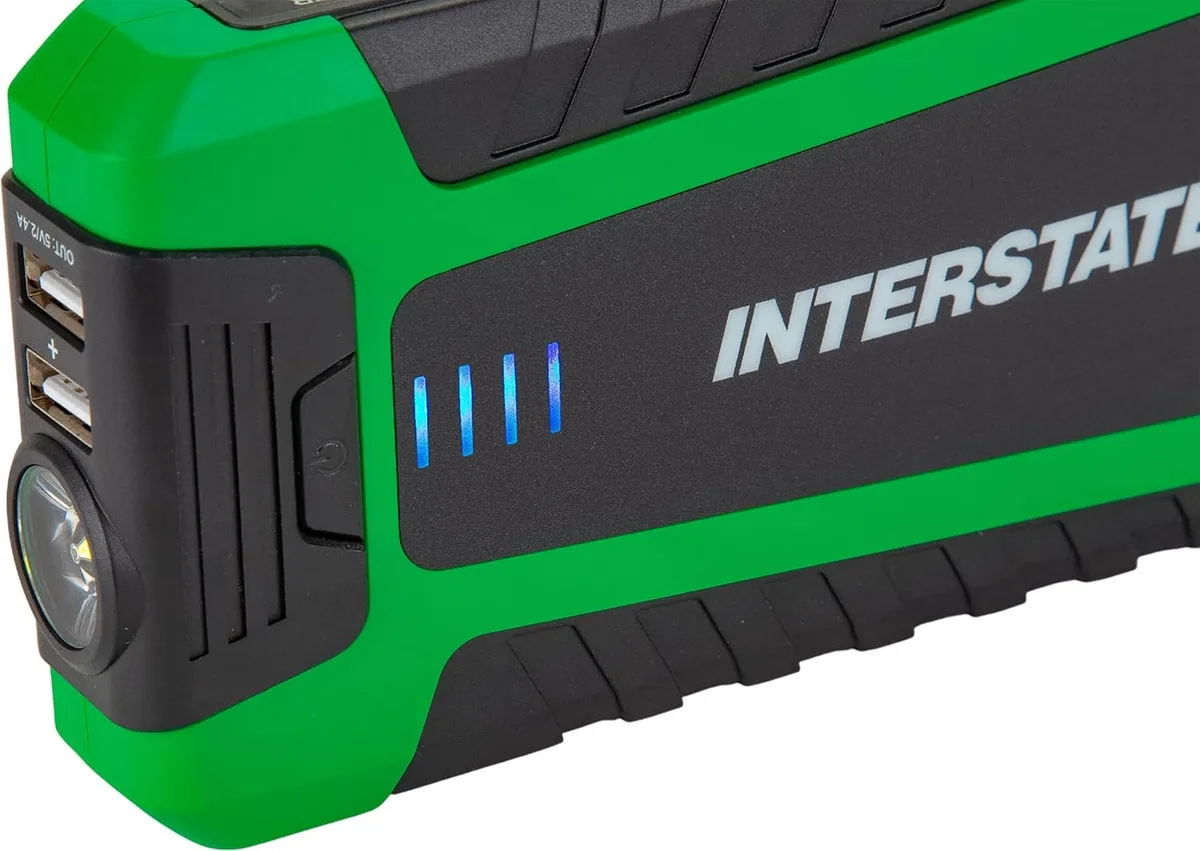
The LED indicator on the front of the unit is your only built-in gauge, so reading it correctly matters more than most people realize.
Most 630 models use a 3-light system: red (low), yellow (mid), and green (full). A solid green with no flicker means you're at roughly 12.6V or above, which is where a healthy SLA sits at rest.
A few patterns we've seen in aggregate owner feedback:
- Solid green but the unit won't start a car: the surface charge reads high, but the cells are weak. Recharge for a full cycle before trusting it.
- Red light won't go off after 12+ hours of charging: input voltage is too low, or the cells have sulfated and aren't accepting current.
- No lights at all: the unit has dropped below the indicator's activation threshold (roughly 10V). It needs a slow recovery charge, not a fast one.
A multimeter gives you the truth if you want it. Set it to DC volts, touch the clamps (red to positive, black to negative), and read the resting voltage.
| Reading | What It Means |
|---|---|
| 12.6V or higher | Fully charged |
| 12.2V to 12.5V | Partially charged, top off before storing |
| 11.9V to 12.1V | Low, recharge soon |
| Below 11.8V | Deeply discharged, recovery charge needed |
Step-by-Step: Charging a Completely Dead Cen-Tech 630 for the First Time
If the unit arrived dead or sat for months, treat the process as a recovery, not a quick top-off.
Step 1: Inspect the Unit
Look at the case for cracks, swollen sides, or acid smell. A bulging battery means it's gone bad and won't recover. Stop here and look into a replacement SLA cell or a battery exchange.
Step 2: Hook Up a Low-Amperage Source
Use the 12V DC car cord plugged into a running vehicle, or a regulated 1A wall adapter. Do not exceed 2A. High current into a deeply discharged cell generates heat and warps the plates.
Step 3: Charge for 24 to 48 Hours
Yes, that long. A deeply discharged SLA needs slow absorption charging to rebuild the sulfation layer on the plates.
Step 4: Check Voltage, Not Just Lights
After 24 hours, unplug and wait 10 minutes. Read the voltage with a multimeter. Anything under 12.4V means the cells aren't holding full charge yet.
Step 5: Repeat or Retire
If a second 24-hour cycle still leaves the unit under 12.3V, the battery has reached end of life. Time for a new SLA cell or a fresh unit.
Charge in a ventilated space. SLA batteries vent hydrogen gas during charging, and a buildup in an enclosed garage can ignite.
Step-by-Step: Topping Off a Cen-Tech 630 That's Been Sitting
If the unit still holds some charge and you're just doing routine maintenance, the process is shorter.
Step 1: Read the Indicator
If the light shows yellow or red, plug it in. If it's solid green, skip to Step 3.
Step 2: Plug Into a 12V Source
Either the vehicle outlet method or a wall adapter. Both work fine for a maintenance top-off.
Step 3: Run for 4 to 8 Hours
A partial charge fills back up in a few hours. A solid green light is your cue to unplug.
Step 4: Disconnect and Test the Clamps
Hook the clamps to a known-good 12V battery, then disconnect. The unit should hold its indicator reading for at least several hours.
Step 5: Store It Properly
Keep it somewhere dry and room-temperature. Trunk heat kills SLA batteries faster than cold does.
How Long Does the Cen-Tech 630 Hold a Charge in Storage?
This depends entirely on storage temperature and how full the unit was when you put it away.
A brand-new, fully charged 630 left at room temperature loses roughly 3% to 5% per month. Over six months, that's enough drop to push it from "ready" to "marginal" if you don't top it off.
Cold slows self-discharge. Heat speeds it up. A unit stored in a hot garage in Phoenix loses charge twice as fast as one kept in a Maine basement.
The maintenance rule we've found most consistent with manufacturer guidance: recharge every 30 to 60 days, regardless of indicator reading. Don't wait for the light to turn yellow.
A SLA battery stored below 12.0V for any extended period starts to sulfate. Once sulfation sets in, capacity drops and recovery gets harder with each cycle.
The U.S. Environmental Protection Agency notes that sulfation is the leading cause of premature failure in stored lead-acid batteries.
Charging Mistakes That Kill Cen-Tech 630 Batteries Early
We've seen the same handful of errors show up in owner reports over and over. Skip these and your 630 will outlast the warranty by years.
Using a Random "12V" Wall Adapter Without Checking Output
That old router power brick in your junk drawer? If it's not regulated, its open-circuit voltage can climb well above 15V. That overvolts the SLA cells and dries them out.
Jump-Starting Off a Running Engine Without a Buffer
Hooking the 630's clamps directly to a running vehicle's battery sends alternator current through the cells. Most 630s lack the protection circuitry for this. Use it only briefly.
Storing the Unit Below 50% Charge
A battery kept at 11.8V for a month may never recover to full capacity. Charge before storing.
Ignoring a Swollen or Warm Case
Heat during charging means the cells are struggling. Unplug immediately. A warm case during a normal top-off is fine.
A hot case is a red flag.
Letting the Clamps Corrode
Green or white crust on the clamps adds resistance. Clean with a wire brush and a baking soda paste. The unit charges more efficiently and the connection stays solid.
Don't charge near flammable materials. The hydrogen venting from an SLA cell during charging is invisible and explosive in confined spaces.
What to Do When the Cen-Tech 630 Won't Charge or Hold Anything
This is the troubleshooting branch most readers land on, so let's work through the actual failure modes.
If the unit shows no lights at all on the charger, the input fuse has likely blown or the input jack has corrosion. Open the case (when unplugged), inspect the solder joints on the input port, and look for green oxidation around the barrel connector.
If the unit shows lights but drops below 12V within a day of charging, the SLA cell has lost capacity. A healthy SLA holds above 12.4V at rest for at least a week. Less than that and you're chasing a dying battery.
If the unit charges fully but won't deliver cranking amps, the issue is internal resistance, not charge level. The cells read fine on a voltmeter but can't push current under load. This is end-of-life behavior.
A quick decision tree:
- No lights + no input response = check fuse and jack
- Lights work + drops voltage fast = replace SLA cell
- Full charge + no cranking amps = retire the unit
Replacement SLA cells are widely available for under $20. Swapping one takes basic soldering skills and about 30 minutes.
Cen-Tech 630 Charging vs. NOCO, Schumacher, and Other Jump Starters
The 630 sits in a specific price tier, and knowing what the alternatives offer helps you set expectations.
| Brand & Model | Charging Method | Wall Adapter Included | Recharge Interval |
|---|---|---|---|
| Cen-Tech 630 | 12V DC only | No | 30 to 60 days |
| NOCO Boost Plus GB40 | USB-C | Yes | Up to 1 year (lithium) |
| Schumacher SJ1332 | 12V DC or AC | Yes | 30 to 90 days |
| Antigravity XP-10 | USB-C and 12V | Yes | 6 to 12 months |
| Clore Jump-N-Carry | 12V DC only | No | 30 to 60 days |
The Cen-Tech 630 lands in the "lowest cost, slightly more maintenance" tier. Lithium-based units like the NOCO hold charge far longer in storage, but cost three to four times more.
If you want fewer charge cycles and longer shelf life, lithium wins. If you want a $50 emergency backup that does the basics, the 630 is the better value.
Best Practices for Storing and Maintaining the Cen-Tech 630 Long-Term
Storage discipline is where most units live or die. The unit itself is solid, but the SLA battery inside doesn't tolerate neglect.
Keep it at room temperature when possible. A climate-controlled closet beats a hot trunk every time. If the unit lives in your vehicle, rotate it indoors during summer heat waves.
Top off every 30 to 60 days, even if the indicator still shows green. Voltage drift below 12.4V accelerates sulfation, and once sulfated, capacity drops permanently.
Clean the clamps every few months. Corroded clamps waste charging current as heat instead of feeding the cells.
Inspect the case for swelling. A swollen SLA is a failed SLA. Replace it before it leaks.
The simple monthly habit: plug it in for a few hours, confirm green light, unplug, return to storage. Five minutes, big payoff.
Frequently Asked Questions
How long does it take to charge a Cen-Tech 630 from dead?
A completely dead unit needs 24 to 48 hours on a low-amperage 12V source. A partial top-off takes 4 to 8 hours. Going faster risks overheating the cells and is not supported by the manufacturer.
Can I charge a Cen-Tech 630 with a regular phone charger?
No. Phone chargers output 5V, and the SLA cells inside the 630 need a regulated 12V source to accept a charge. A 5V input simply won't push the voltage high enough to top off the battery.
How often should I recharge the 630 if I never use it?
Every 30 to 60 days. SLA batteries self-discharge even at rest, and storage below 12.4V causes permanent sulfation damage. A quick top-off every couple of months keeps the cells healthy for years.
Why doesn't my Cen-Tech 630 come with a wall charger?
Harbor Freight ships the 630 without an AC adapter to keep the price low. Owners either charge via the included 12V car cord or buy a separate regulated wall adapter. It's a cost decision, not an oversight.
Is it safe to leave the Cen-Tech 630 charging overnight?
A slow 12V charge over 8 to 12 hours is generally safe if the unit is in a ventilated area. Beyond that, the unit lacks automatic shutoff, so leaving it plugged in for days can overcharge and dry out the cells. Unplug once the indicator shows green.
Can a completely dead Cen-Tech 630 be brought back to life?
Sometimes. If the unit reads below 10V, a slow 24 to 48 hour recovery charge can restore it. If the voltage still won't climb above 12.0V after two cycles, the cells have failed and need replacement.