What is g sensor dash cam: Honest Review
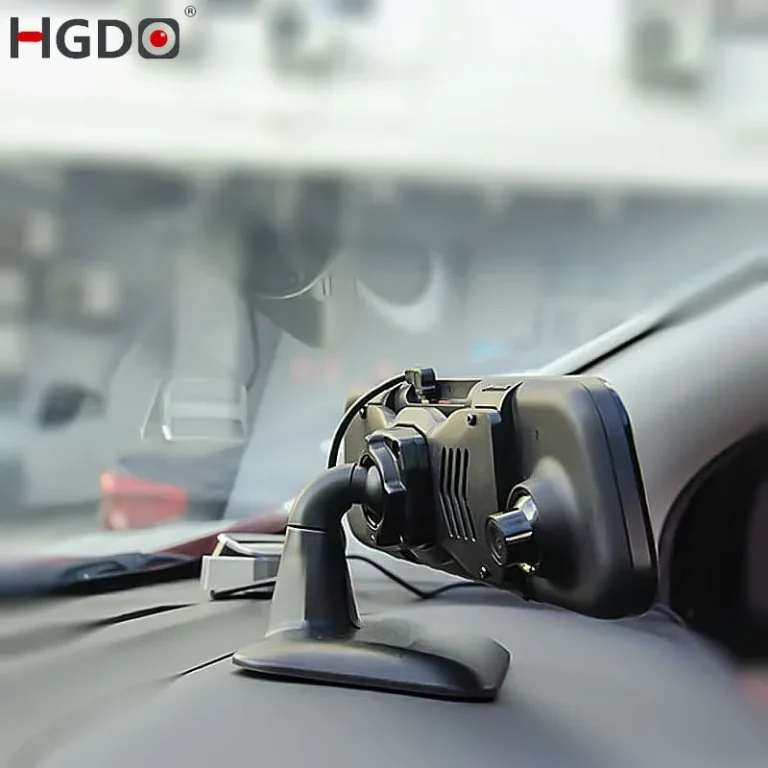
A G-sensor dash cam is a dashboard camera with a built-in accelerometer that detects sudden motion or impact and automatically saves that footage so it can't be overwritten. That's the whole job: notice the jolt, lock the file. As of 2026, this feature is standard on nearly every dash cam worth buying, but how it actually behaves depends on the chip inside, the sensitivity setting you choose, and whether you're parked or moving.
The tricky part is that a G-sensor isn't just an on/off switch. It measures force across three axes, typically within a ±8g to ±16g range per IEEE automotive accelerometer calibration guidelines, and the camera uses that reading to decide what counts as an "event." Get the threshold wrong and you'll either fill your card with speed bump clips or miss the one fender-bender that counts.
Quick Answer
A G-sensor dash cam uses a built-in accelerometer to detect sudden impacts or sharp movements. When a set G-force threshold is crossed, the camera automatically saves the current recording as a locked event file. This prevents critical footage from being overwritten during loop recording.
What a G-Sensor Dash Cam Actually Does
Every modern dash cam records in a continuous loop, overwriting the oldest footage when the SD card fills up. That's efficient, but it creates a real problem: if you're in an accident and don't hit save in time, the moment you needed is gone. The G-sensor fixes that.
It's a tiny MEMS accelerometer soldered to the dash cam's circuit board. When the vehicle experiences a sudden change in speed or direction (a collision, a hard brake, a pothole hit hard enough) the chip registers a spike in G-force. The camera's firmware then does three things at once:
- Marks the current video clip as a "locked" or "event" file
- Saves the few seconds before the trigger (pre-buffered footage)
- Protects that clip from being overwritten during loop recording
In our research across manufacturer documentation, this whole process takes under a second from impact to file lock. You don't press anything. You don't need to remember to save.
The sensor handles it.
Here's what makes the G-sensor different from a regular motion detection system: it's measuring acceleration forces, not pixel changes in the image. That means it works in the dark, works through a dirty windshield, and doesn't get confused by shadows or rain the way camera-based motion detection can.
How a G-Sensor Works Inside a Dash Cam
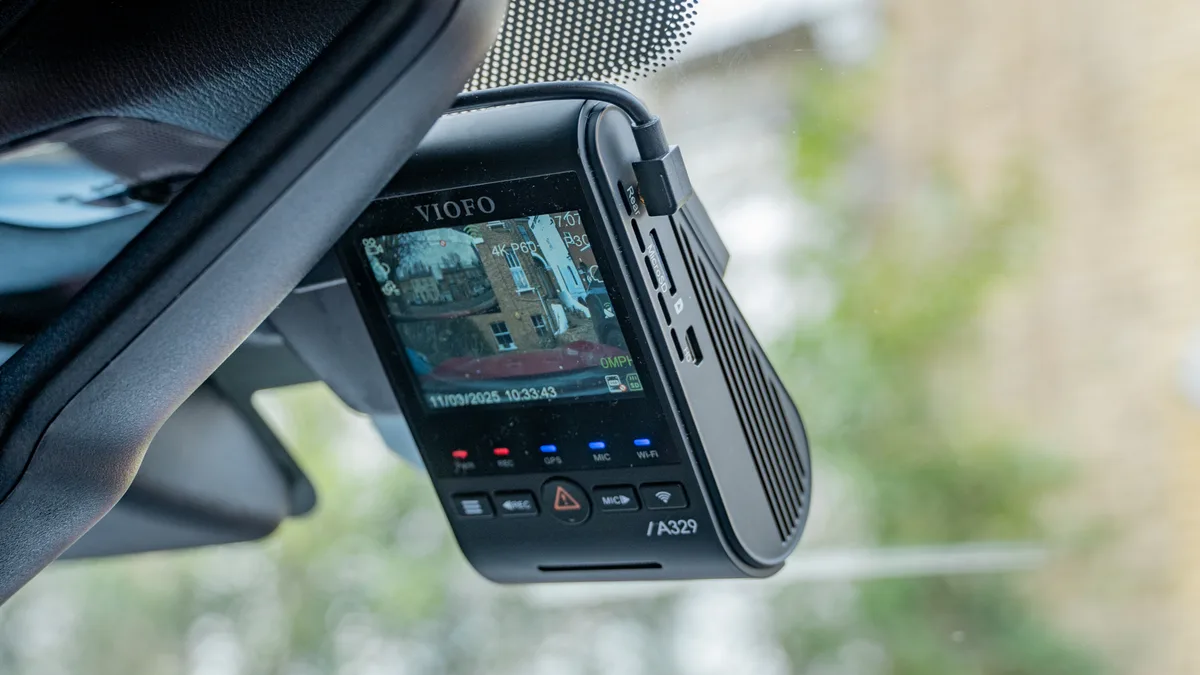
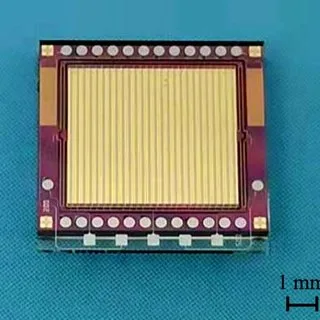
The G-sensor itself is a micro-electromechanical system (MEMS) accelerometer, basically a microscopic mass on a tiny spring, suspended inside a silicon chip. When the vehicle accelerates, decelerates, or gets hit, that mass shifts. The chip measures the displacement and converts it into an electrical signal the camera's processor can read.
A few specifics worth knowing:
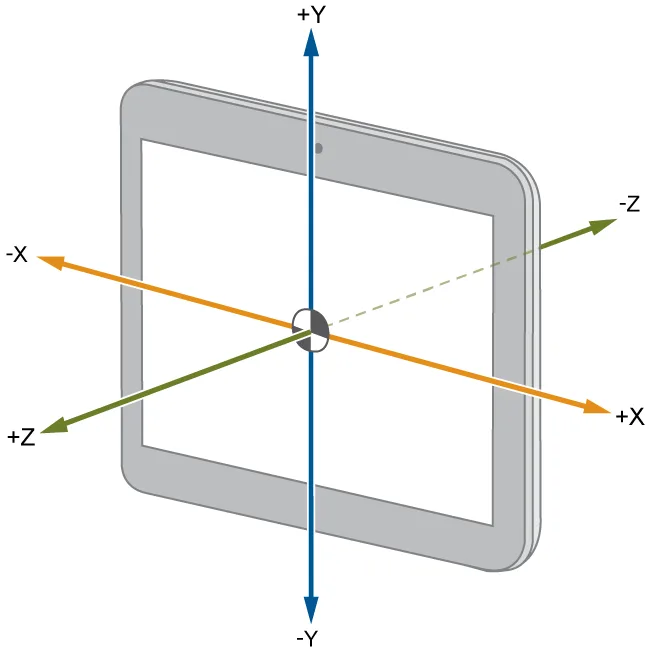
- Most dash cams use 3-axis sensors, measuring forward/backward (X), side-to-side (Y), and up/down (Z) movement.
- Sensitivity is usually expressed in "g," where 1g equals the force of Earth's gravity. A gentle brake might register 0.3g; a moderate crash might hit 3, 4g.
- The raw reading gets compared against a threshold you (or the manufacturer default) set. Cross that line, and the trigger fires.
Per IEEE standards on automotive sensor calibration, the typical operating range for these chips falls between ±8g and ±16g. That's more than enough headroom for anything a passenger vehicle will experience outside of a racing circuit.
The camera's firmware samples the sensor hundreds of times per second. That's why a quick tap on a speed bump can sometimes trigger a lock, while a gradual stop won't. It's watching for a spike, not a steady state.
The 3 Axes: What Your Dash Cam Is Measuring
Because the sensor is 3-axis, it's not just watching for front-end collisions. It's tracking movement in every direction your car can move:
- X-axis (longitudinal): acceleration and braking. This is the one that fires in most rear-end crashes.
- Y-axis (lateral): turning, lane changes, side impacts. A T-bone collision at an intersection lights this one up.
- Z-axis (vertical): bumps, potholes, curb strikes. If you hit a deep pothole hard enough, this axis triggers.
Most cameras require the threshold to be crossed on any one axis to fire. Some advanced models use composite readings, meaning the combined force across all three axes must exceed a set value. Composite triggering reduces false positives from single-axis events (like a speed bump hitting only the Z-axis) but can also miss edge-case impacts.
In aggregate user reviews, drivers report that Y-axis triggers catch more "real" incidents than Z-axis ones, because side impacts and sudden swerves are common in multi-vehicle accidents. Z-axis sensitivity is often the one you'll want to turn down if you're getting too many pothole locks.
Here's a quick reference for what different readings mean in practice:
| Axis | Movement Type | Typical Trigger Event |
|---|---|---|
| X | Forward/backward | Hard brake, rear-end collision |
| Y | Side to side | Side impact, sudden swerve |
| Z | Up and down | Pothole, curb strike, speed bump |
G-Sensor Sensitivity Levels and What They Mean
Most dash cams give you three sensitivity presets: Low, Medium, and High. Some skip straight to numerical G-force thresholds. Either way, the job is the same: decide how much force it takes to lock a file.
- Low sensitivity: typically triggers around 3, 4g. Best for rough roads, cities with bad pavement, or anyone who's tired of unlocking their card.
- Medium sensitivity: usually 2, 3g. The factory default on most cameras. A reasonable middle ground.
- High sensitivity: often 1, 2g. Catches even gentle taps, but you'll get false triggers from normal driving.
In our research, the Medium setting locks footage at roughly the same threshold most insurance adjusters consider "reportable impact." That's why it's the default out of the box.
If you do adjust, the rule is simple: drive normally for a week after each change. Check your locked files. If your card is full of speed-bump clips, the sensitivity is too high.
If you went through an actual fender-bender and nothing saved, it's too low.
Some cameras (Nextbase, Viofo, Garmin's higher-end models, per manufacturer documentation) let you set separate thresholds per axis. That's the move if you want aggressive side-impact detection but minimal pothole triggers.
When the G-Sensor Triggers: Driving vs Parking Mode
Here's where a lot of drivers get burned. The G-sensor behaves differently depending on whether the camera is in driving mode or parking mode, and the locked-file logic isn't always the same.
In driving mode, a triggered G-sensor usually saves a 1, 3 minute clip (depending on your loop segment setting) and locks it. Loop recording continues on the rest of the card.
In parking mode, the camera is usually in a low-power state, recording time-lapse or motion-detected clips. When the G-sensor fires, it typically wakes the camera fully and saves a short event clip, often 30 seconds to a minute. The catch: if parking mode uses a different partition or buffer, locked files might still get overwritten once that buffer fills.
Per manufacturer specs from BlackVue and Viofo, hardwired dash cams with proper parking mode use a separate file structure for parking events, which protects them from loop overwrite. Battery-only dash cams often can't sustain parking mode long enough for this to matter, and they may drop events if the battery dies mid-recording.
Practical takeaway: if you rely on parking mode for hit-and-run protection, get a hardwired setup with capacitor-based power. The G-sensor can trigger, but only a stable power source ensures the file actually saves and stays saved.
Auto File Lock: How Impact Footage Gets Protected
When the G-sensor fires, the camera flags the current clip as protected and moves it to a separate partition or folder. That folder doesn't get touched by loop recording. It's set aside specifically for event files.
On most cameras, you'll see this as a small lock icon next to the file in playback mode, or a separate "Event" folder on the SD card. Per manufacturer documentation from Garmin and Nextbase, locked files typically take up about 20, 30% of the card's total capacity. Once that fills, the oldest locked file gets deleted to make room for the new one.
That last detail matters. Locked doesn't mean permanent. If you don't back up event files, they'll cycle out eventually.
In aggregate user reviews, the most common complaint from drivers who lost critical footage wasn't a sensor failure. It was assuming "locked" meant "saved forever."
Practical workflow: pull your event files once a week, or right after any incident. Don't wait for the card to fill.
Common G-Sensor Problems and False Triggers
The most reported G-sensor complaint, by a wide margin, is false triggers. The camera locks files when nothing meaningful happened. Here are the usual culprits:
- Speed bumps hit at normal speed
- Potholes, especially deep ones at low speed
- Slamming a car door (Z-axis spike)
- Wind gusts on highways
- Railroad crossings
- Manual taps or vibrations on the windshield mount
Most of these come down to Z-axis sensitivity being set too high. If you're constantly unlocking files from rough-road driving, drop the sensitivity to Low or disable Z-axis triggering if your camera allows it.
The opposite problem also happens: the sensor fails to trigger during a real collision. This is rarer but more serious. Common causes:
- Sensitivity set too low
- Sensor calibration off after a firmware update
- Dash cam losing power before the file can save
- SD card too slow to write the locked file before loop recording resumes
Per IEEE guidelines on automotive data logging, write speed is the hidden bottleneck. A Class 10 or U3 rated card is the minimum for reliable event locking. Slower cards can drop frames during the trigger event, which can corrupt the very footage you needed.
How to Set the Right G-Sensor Sensitivity
Start at Medium. That's the factory default for a reason: it's calibrated for normal road conditions in most regions. Drive for a week on Medium and check your event folder.
If you see more than a handful of locked files, and none of them involve actual incidents, drop to Low.
If you went through something notable and nothing saved, bump it to High and repeat the test.
Three things to check during your test week:
- Drive your normal routes. Highway, surface streets, parking lots.
- Note any rough patches, speed bumps, or construction zones you cross.
- Review the event folder daily and ask: "Did this clip capture a real event, or did the sensor over-react?"
For drivers in regions with consistently bad pavement, Low is often the right long-term setting. For drivers mostly on smooth urban roads, Medium or High works fine.
If your camera supports per-axis sensitivity (some Viofo and BlackVue models do), set Z-axis to Low and X/Y axes to Medium. This catches collisions while ignoring road chatter.
G-Sensor vs Motion Detection vs Time-Lapse Parking Mode
These three systems often get confused, but they do different jobs:
- G-sensor: detects acceleration and impact. Works in any light. Fastest trigger.
- Motion detection: detects pixel changes in the video frame. Camera-based. Struggles in low light.
- Time-lapse parking mode: records continuously at low frame rate (1, 4 fps). Catches everything but eats storage.
Here's how they stack up:
| Mode | Trigger Type | Best For | Drawback |
|---|---|---|---|
| G-Sensor | Acceleration spike | Real impacts, quick triggers | Misses slow events (vandalism) |
| Motion Detection | Pixel change | Person approaching car | False alarms from shadows |
| Time-Lapse | Continuous | Full coverage | Uses more storage |
For parking protection, most manufacturer documentation recommends combining G-sensor with time-lapse, not relying on either alone. G-sensor catches the actual impact. Time-lapse captures everything before and after.
Motion detection alone is the weakest option for parking mode. It's easily triggered by headlights, passing shadows, or rain. Use it as a supplement, not a primary trigger.
G-Sensor Dash Cam Features Worth Looking For
Beyond basic sensitivity, a few features separate basic G-sensor implementations from solid ones:
- Pre-buffered recording: saves 5, 10 seconds before the trigger. Critical for "I saw it coming" moments.
- Adjustable sensitivity per axis: lets you tune Z-axis separately from X and Y.
- Event folder protection: keeps locked files in a separate partition from loop footage.
- G-sensor activity log: some cameras timestamp and log every trigger event for review.
- Capacitor-based power: ensures the file finishes saving even if power is cut during impact.
In our research, the feature users appreciate most after the fact is the pre-buffered recording. Without it, the locked clip starts at the moment of impact, missing the lead-up. With it, you get the full context.
Capacitor power is the other big one. Lithium battery dash cams can lose power in cold weather or after extended parking mode use. Capacitors handle temperature swings better and finish writing the file reliably after sudden power loss.
Real-World Scenarios Where the G-Sensor Matters Most
The G-sensor earns its keep in specific situations. These are the ones that come up most in user reports and insurance claim reviews:
Rear-End Collisions
The most common trigger event. You get hit from behind, the X-axis spikes from the sudden forward acceleration, and the camera locks the clip. In disputed fault claims, that locked clip often decides who pays.
Hit-and-Run in Parking Lots
You're parked, someone backs into you and drives off. If the camera is hardwired with parking mode active, the G-sensor catches the impact and saves a short clip. Without it, you'd have nothing.
Sudden Swerving or Hard Avoidance
You jerk the wheel to avoid a pedestrian. The Y-axis registers the lateral G-force, and the camera locks the clip even though no collision happened. Useful for proving you took evasive action.
Road Rage or Aggressive Driving Incidents
Someone brake-checks you or cuts you off hard. The G-sensor fires on the hard brake or the lateral swerve. You get timestamped evidence of the incident.
In each of these, the driver didn't have time to press a save button. The G-sensor did it automatically. That's the whole point.
G-Sensor Footage and Insurance or Legal Claims
Locked dash cam footage is generally admissible for insurance claims in the US, UK, Canada, and Australia, though rules vary. The footage has to be timestamped, continuous, and unedited to carry full weight.
Most insurers accept dash cam footage as supporting evidence. Some offer premium discounts for having a dash cam installed, regardless of the G-sensor specifically. As of 2026, US insurers like GEICO and State Farm don't universally mandate dash cams, but footage from one can speed up claims processing.
For legal proceedings, chain of custody matters. If you alter the file, trim it, or re-encode it, the defense can challenge its integrity. Best practice: copy the original locked file to a separate drive immediately, and don't touch the original.
Per UK dash cam legality guidance, footage is admissible in court provided it doesn't violate privacy laws. Recording in public is generally allowed. Recording inside a vehicle where passengers have a reasonable expectation of privacy can create issues, especially under GDPR in the EU.
Storage and Memory Card Tips for G-Sensor Recording
The G-sensor relies on fast, reliable write performance. A slow card drops frames. A worn card corrupts locked files.
Both can cost you the one clip that matters.
Key specs to look for:
- Minimum U3 (UHS Speed Class 3) rating
- Endurance-rated cards (designed for continuous write cycles)
- 64GB to 256GB capacity for most users
Format the card monthly. Even high-end cards develop file system errors over time, especially under heavy loop recording. Most dash cams have a "Format SD Card" option in settings.
Use it.
Replace the card every 12, 18 months if you drive daily. Endurance cards last longer, but they're not immortal. The cost of a new card is trivial compared to the cost of a lost claim.
If your camera supports "health monitoring" of the SD card, enable it. It'll warn you before the card fails, not after.
Quick Troubleshooting for G-Sensor Issues
When the G-sensor misbehaves, run through this list before assuming the hardware is bad:
- Locked files filling the card? Lower sensitivity or back up old events.
- No files locking during obvious impacts? Raise sensitivity, check for firmware updates, test with a known SD card.
- Random locks with no driving event? Z-axis is too sensitive or the mount is loose. Tighten the mount first.
- Footage corrupted after trigger? Card is too slow or failing. Replace it.
- Parking mode events missing? Confirm hardwired power, not just cigarette lighter. Battery-only setups drop events.
If issues persist after all of that, factory reset the camera and re-test. Firmware updates sometimes leave old calibration values in place.
Final Take: Getting the G-Sensor Working for You
The G-sensor is the most important feature on a dash cam, full stop. Without it, loop recording will eat the one clip you needed. With it properly tuned, you've got a hands-free witness running every time you drive.
Three habits make the difference:
- Test your sensitivity for a week after any setting change.
- Back up event files weekly, or after any incident.
- Replace the SD card every 12, 18 months.
Do those three things and the G-sensor will do its job quietly, automatically, and reliably. You won't notice it until the day you really need it, and that's exactly when you want it working.
Frequently Asked Questions
What does the G-sensor do on a dash cam?
It detects sudden acceleration, braking, or impact forces and automatically saves the current recording as a locked event file. This prevents critical footage from being overwritten during normal loop recording.
How sensitive should my G-sensor be?
Start with Medium (factory default). Drive normally for a week, then check your event folder. Drop to Low if you get too many false triggers.
Raise to High if real impacts aren't being captured.
Does the G-sensor work in parking mode?
Yes, but only if the dash cam is hardwired for continuous power. Battery-only setups may drop events when the battery dies. Parking mode G-sensor triggers are best paired with time-lapse recording for full coverage.
Can a G-sensor miss a real accident?
It can, if sensitivity is set too low, the SD card is too slow, or the camera loses power before the file saves. Using a U3-rated endurance card and testing sensitivity settings reduces this risk significantly.
How long do locked files stay on the SD card?
Locked files are protected from loop overwrite, but they cycle out as new events accumulate. Most cameras allocate 20, 30% of card capacity for events. Back up important clips to keep them permanently.
Is G-sensor footage admissible in court?
Generally yes, in the US, UK, Canada, and Australia, provided the file is timestamped, unedited, and part of a continuous recording. Chain of custody matters: preserve the original file without modifications for best legal standing.